Observability
p2pstream records operational data for traffic flow, proxy health, agent state, policy decisions, and live request tracing.
What It Is
Observability combines retained proxy request events, agent stats, dashboard summaries, and an admin-controlled trace stream.
When It Matters
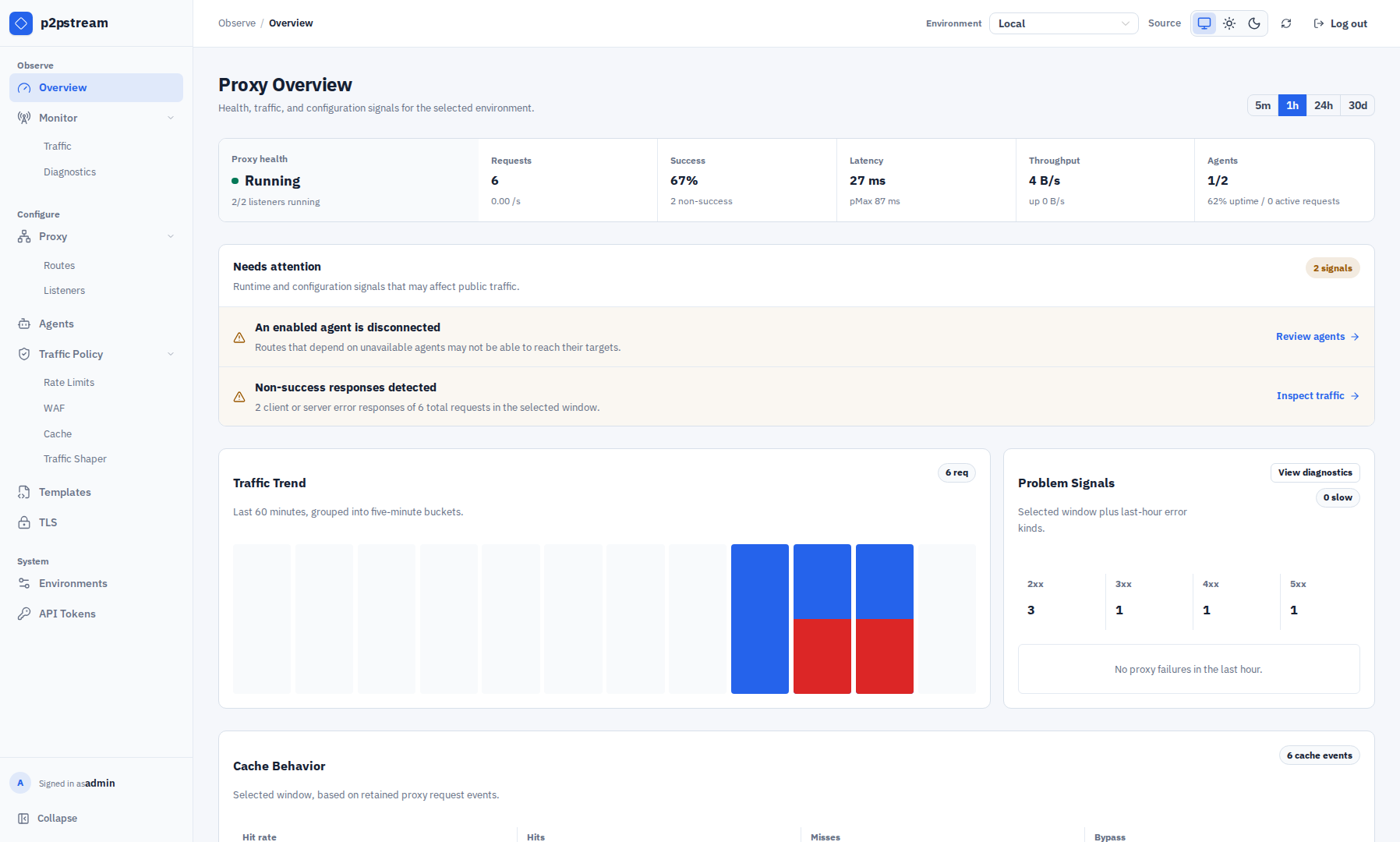
Use observability when checking whether traffic is flowing, which routes are hot, which agents are serving requests, why a request failed, or whether cache/WAF/rate/shaping policies were selected. The management UI groups live tools under Monitor, with Traffic for request paths and Diagnostics for ranked failures and retained samples.
Runtime Behavior
The Overview page summarizes retained proxy request events over 5m, 1h, 24h, and 30d. The retention window is controlled by:
OBSERVABILITY_RETENTION_DAYS=30Proxy request events include status code, duration, error kind, listener ID, route ID, route target ID, WAF rule/action, cache rule/status/bytes, retry rule/count/outcome/initial error, final agent ID, request bytes, and response bytes. Recovered retries are retained as diagnostic samples even when their final status is successful. The route-target-only migration resets retained proxy request events and proxy rollups so legacy backend IDs are no longer kept. Agent stats history is not reset.
Agents report memory, CPU percentage, goroutine count, active requests, request outcome counters, bytes received, and bytes sent.
Traffic tracing levels (tracing records every matching request; the Traffic Flow visualization may display a sampled subset of recorded paths so busy systems remain readable):
| Level | Includes |
|---|---|
| Basic | High-level request stages. |
| Detailed | Host, query, WAF decision, origin, target type, and error kind. |
| Headers | Request and response headers, redacted where known. |
| Debug | More detailed event attributes. |
Use Headers and Debug temporarily because they can expose operational details and request metadata, including Authorization tokens and session cookies.
Common Mistakes
- Leaving high-volume tracing enabled after troubleshooting.
- Expecting deleted old events to remain beyond
OBSERVABILITY_RETENTION_DAYS. - Looking only at Overview when Monitor → Traffic is needed for stage-level behavior.
- Opening traces one by one when Monitor → Diagnostics can rank the failing listener, route, target, agent, status, or error dimension first.
Related Links
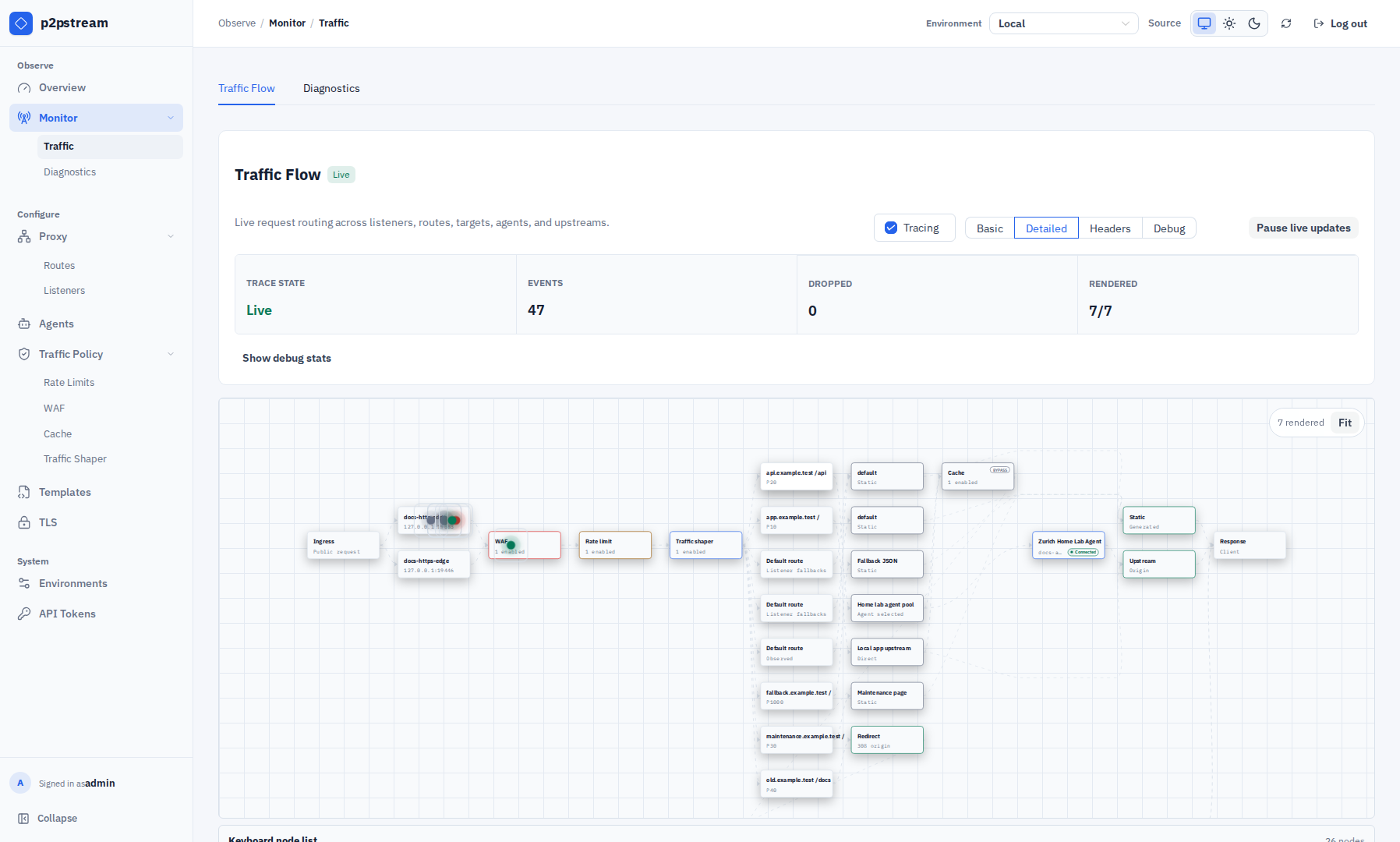
The trace-details drawer complements the flow diagram when one request needs deeper inspection. It starts with the outcome, resolved flow, lifecycle, and policy decisions; exact headers, raw attributes, and debug data remain progressively disclosed at the tracing levels that capture them.
Monitor → Diagnostics ranks retained failure dimensions and shows recent failure or retry samples for the selected dashboard window. A retry sample exposes its rule ID, attempt count, outcome, and initial error kind. Filter by a failure dimension before opening an exact sample in its details drawer; refresh when the snapshot is stale or unavailable.