Docker Compose Details
Run the p2pstream server container with persistent /data, explicit management URL settings, and only the host ports you intend to expose.
Use This When
Use this page after the quickstart when you need to change ports, understand what the Compose file does, or operate the container lifecycle.
Prerequisites
- The repository
compose.yaml. - A
.envfile copied from.env.example. - A decision about which host ports should reach container ports
80,443, and8081.
Steps
Review the included root
compose.yaml:yamlservices: p2pstream: image: ghcr.io/kirari04/p2pstream:latest container_name: p2pstream restart: unless-stopped environment: CONFIG_DIR: /data MANAGEMENT_PORT: "8081" MANAGEMENT_UI_DISABLED: "${MANAGEMENT_UI_DISABLED:-false}" MANAGEMENT_PUBLIC_URL: "${MANAGEMENT_PUBLIC_URL:-https://localhost:8081}" MANAGEMENT_TLS_EXTRA_HOSTS: "${MANAGEMENT_TLS_EXTRA_HOSTS:-}" ports: - "${P2PSTREAM_HTTP_PORT:-80}:80" - "${P2PSTREAM_HTTPS_PORT:-443}:443" - "${P2PSTREAM_MANAGEMENT_PORT:-8081}:8081" volumes: - p2pstream-data:/data volumes: p2pstream-data: name: p2pstream-dataSet the externally reachable management URL:
dotenvMANAGEMENT_PUBLIC_URL=https://proxy.example.com:8081Add extra certificate names for auto management TLS when needed:
dotenvMANAGEMENT_TLS_EXTRA_HOSTS=proxy.example.com,192.0.2.10Override host ports only when the defaults are not usable:
dotenvP2PSTREAM_HTTP_PORT=8080 P2PSTREAM_HTTPS_PORT=8443 P2PSTREAM_MANAGEMENT_PORT=9443 MANAGEMENT_PUBLIC_URL=https://proxy.example.com:9443Start or update the container:
bashdocker compose up -d docker compose logs -f p2pstream
Runtime Effects
| Setting | Effect |
|---|---|
CONFIG_DIR=/data | Stores SQLite, certificates, ACME state, and cache defaults in the named volume. |
MANAGEMENT_PORT=8081 | Makes the management UI/API and agent tunnel listener bind inside the container. Agents connect to this port for request forwarding. |
MANAGEMENT_PUBLIC_URL | Controls generated links, agent snippets, and management certificate naming. |
MANAGEMENT_UI_DISABLED=true | Stops serving the browser UI; ConnectRPC APIs and the agent Yamux tunnel remain available. |
P2PSTREAM_*_PORT | Changes host-side publishing only; listener ports are still configured in p2pstream. |
New listeners must be published explicitly
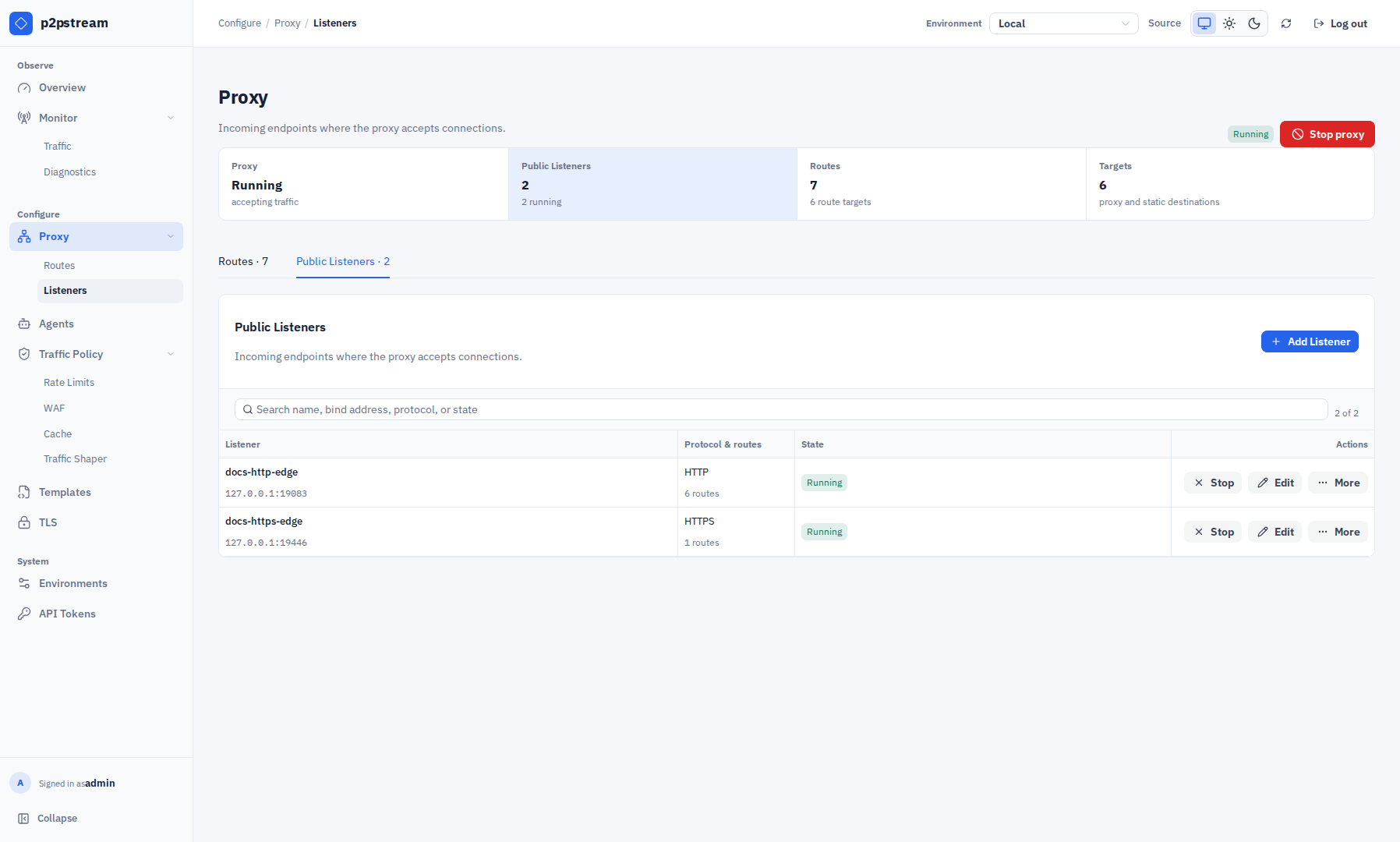
Docker only exposes ports listed under ports. If you create an additional listener on container port 8088 under Proxy -> Listeners, it will bind inside the container but remain unreachable until you add it to the Compose port list and restart:
ports:
  - "${P2PSTREAM_HTTP_PORT:-80}:80"
  - "${P2PSTREAM_HTTPS_PORT:-443}:443"
  - "${P2PSTREAM_MANAGEMENT_PORT:-8081}:8081"
  - "8088:8088"
Verification
Run:
docker compose ps
docker compose logs -f p2pstream
Then open MANAGEMENT_PUBLIC_URL in a browser. The Overview page should show proxy state, listeners, routes, targets, TLS counts, and recent traffic once requests arrive.
Troubleshooting
| Symptom | Check |
|---|---|
| Browser opens the wrong host or port | MANAGEMENT_PUBLIC_URL must match the external URL. |
| Agent cannot connect | Agent must reach management HTTPS/TLS and /agent/tunnel, not a public listener URL. |
| Extra listener is unreachable | Add a Compose port mapping for that listener port. |
| Forgot the admin password | Run docker compose exec p2pstream p2pstream users reset-password admin. |