Routing
Routes decide what a public listener does with a matching host and path after earlier policy layers have run.
What It Is
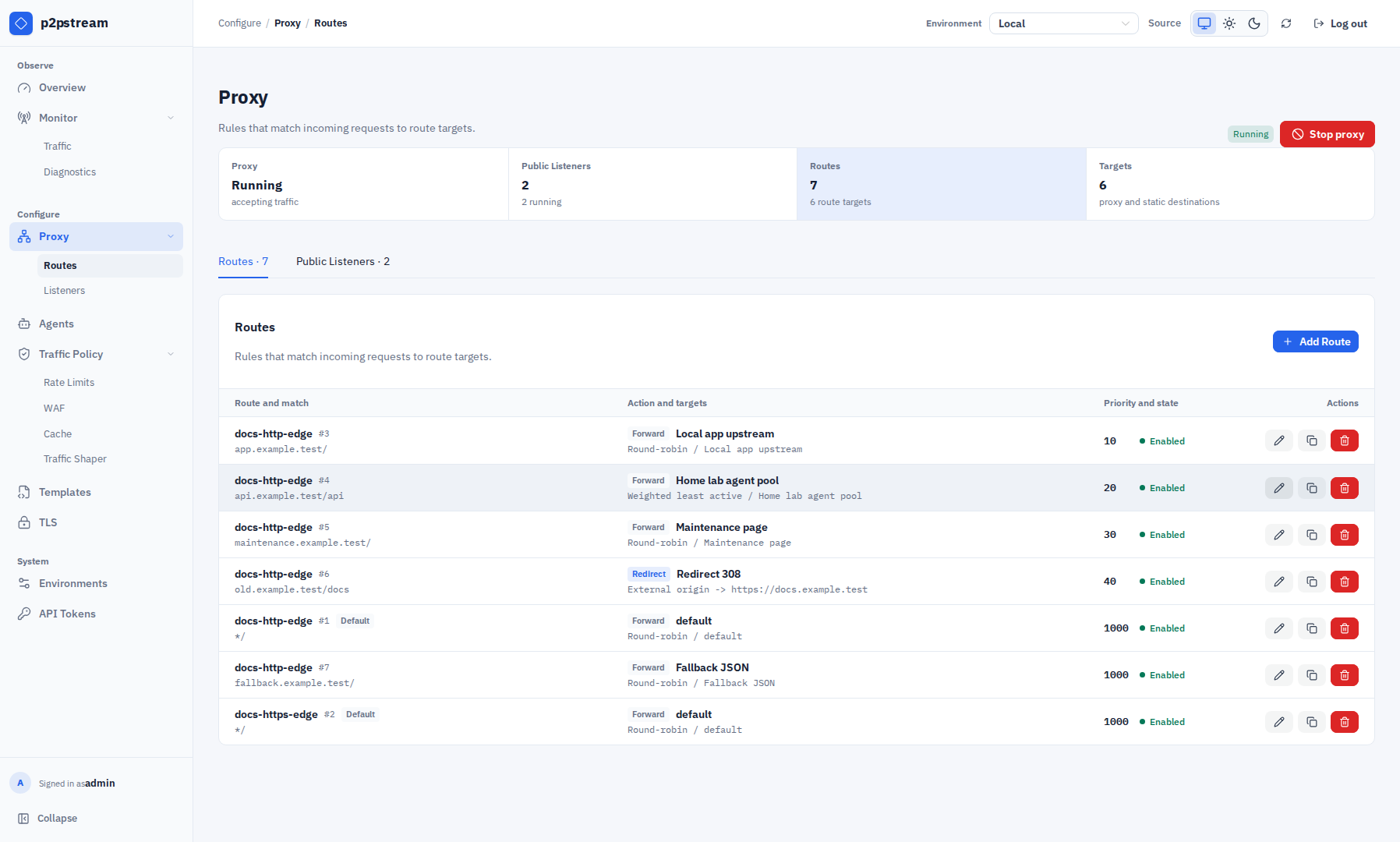
A route belongs to one listener and performs either a forward action or a redirect action. Forward routes select one or more route-owned targets; redirect routes return a redirect response without contacting an origin.
When It Matters
Routing matters when publishing multiple hostnames on one listener, adding path-specific targets, creating failover groups, or explaining why a request reached the listener but not the expected origin.
Runtime Behavior
Routes are evaluated after WAF, rate limits, and traffic shapers. p2pstream also performs an earlier route-only match to apply the route's path security mode; this does not select a target or advance load-balancer state. Cache rules run after route/target selection and can serve eligible proxy assets without contacting the origin.
A route must include at least one of:
- host pattern,
- path prefix.
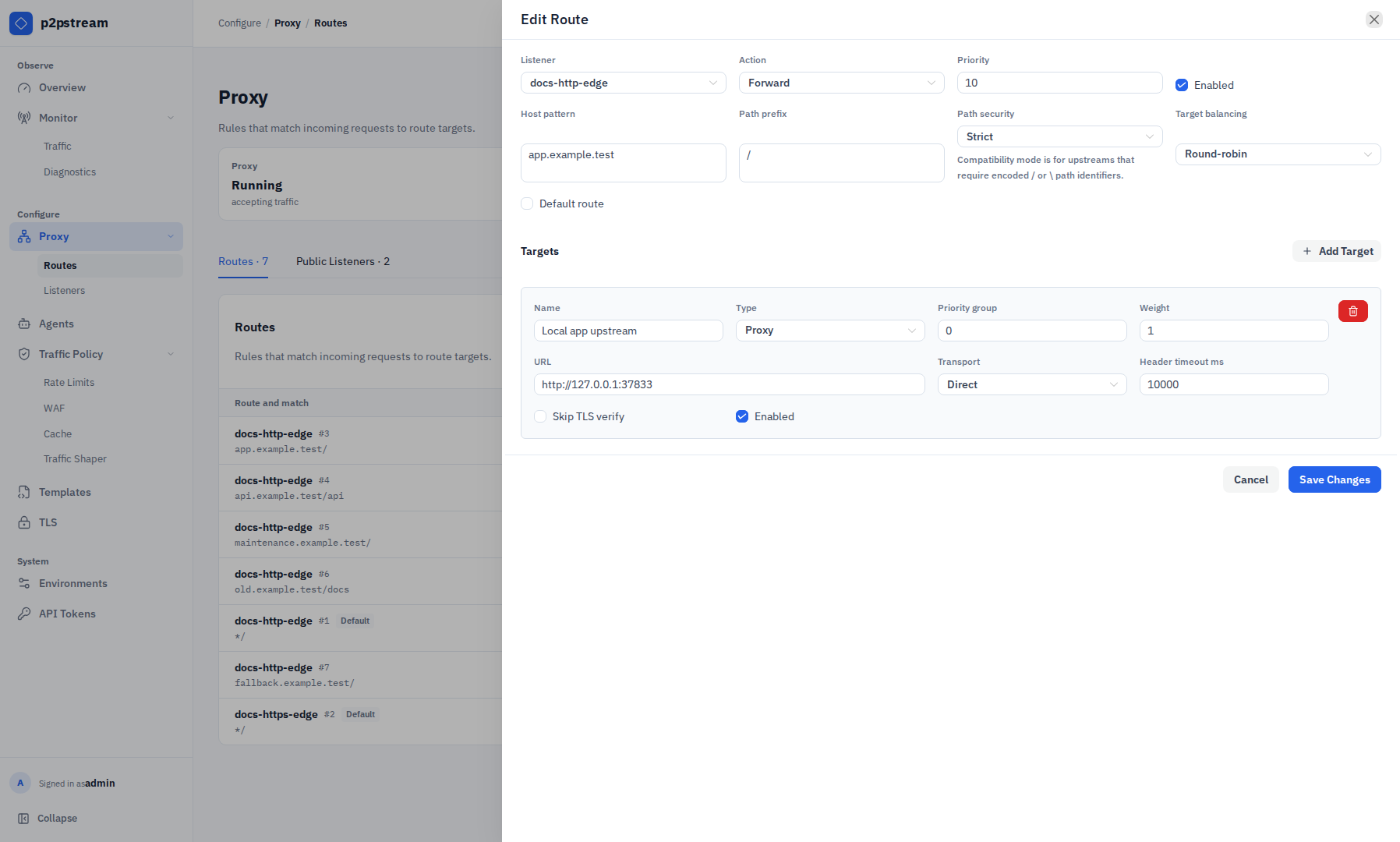
Host patterns support exact hosts such as app.example.com and wildcard subdomains such as *.example.com. Path prefixes must start with /.
Routes are sorted by priority, then ID. Lower priority numbers run first.
| Priority | Host | Path | Result |
|---|---|---|---|
10 | app.example.com | /api | checked first |
20 | app.example.com | / | fallback for same host |
100 | empty | / | broad listener fallback |
Forward routes load-balance across enabled route targets. Targets are grouped by priority_group; p2pstream selects only from the lowest available group, so higher groups act as failover. Within a group, the route target load-balancing policy uses each target's position and weight.
Proxy targets can use direct transport or agent transport. Agent targets select connected healthy agents by label selector and then use the target's agent load-balancing policy.
If no enabled target is available for a matched forward route, p2pstream returns 503 Service Unavailable.
Redirect status codes must be 301, 302, 307, or 308.
Path Security Modes
Routes default to strict path security. Strict routes reject encoded path separators such as %2F and %5C before WAF, rate limits, traffic shapers, cache, and forwarding. Public listeners also reject decoded . and .. path segments and raw literal backslashes.
Use Allow encoded separators only for routes whose upstream requires encoded separators in path identifiers, for example GitLab project paths. Those requests keep the encoded separator form for the upstream, but shared cache bypasses them. WAF, rate-limit, and traffic-shaper path rules still evaluate p2pstream's decoded request path, so keep route-specific policy simple when enabling this compatibility mode.
| Redirect mode | Target example | Behavior |
|---|---|---|
| Same host path | /new | Redirects to a path on the same request host. |
| External origin keep path | https://new.example.com | Keeps the incoming path and query on another origin. |
| Absolute URL | https://new.example.com/docs | Redirects to the exact URL, with optional path/query preservation. |
Common Mistakes
- Putting broad catch-all routes at lower priority numbers than specific routes.
- Expecting the listener default route to run when an enabled matching route exists but no target is available.
- Forgetting wildcard host patterns do not match the apex host.
- Expecting captcha or waiting-room redirects to replay request bodies.
- Enabling encoded separator compatibility on broad fallback routes instead of limiting it to the upstream that needs it.