Issue a Wildcard Certificate with Cloudflare DNS-01
Issue an ACME certificate through Cloudflare DNS-01 for wildcard hosts or deployments where validation ports cannot be exposed.
Use This When
Use DNS-01 when you need *.example.com, or when HTTP-01 and TLS-ALPN-01 cannot reach p2pstream from the public internet.
Prerequisites
The domain is hosted in Cloudflare DNS.
A Cloudflare API token that can edit DNS records for the target zone.
The Cloudflare zone ID.
Finding your Zone ID
In the Cloudflare dashboard, select your domain. The Zone ID appears in the right-hand sidebar under API.
An HTTPS listener such as
public-https.
Steps
In Cloudflare, create a scoped API token with DNS edit permission for the target zone.
Open TLS, go to the DNS Credentials section, and select Add DNS Credential:
Field Value Name cloudflare-exampleProvider Cloudflare Zone ID your Cloudflare zone ID API token your scoped token Enabled On The API token is stored server-side and later shown as set, not echoed back in full.
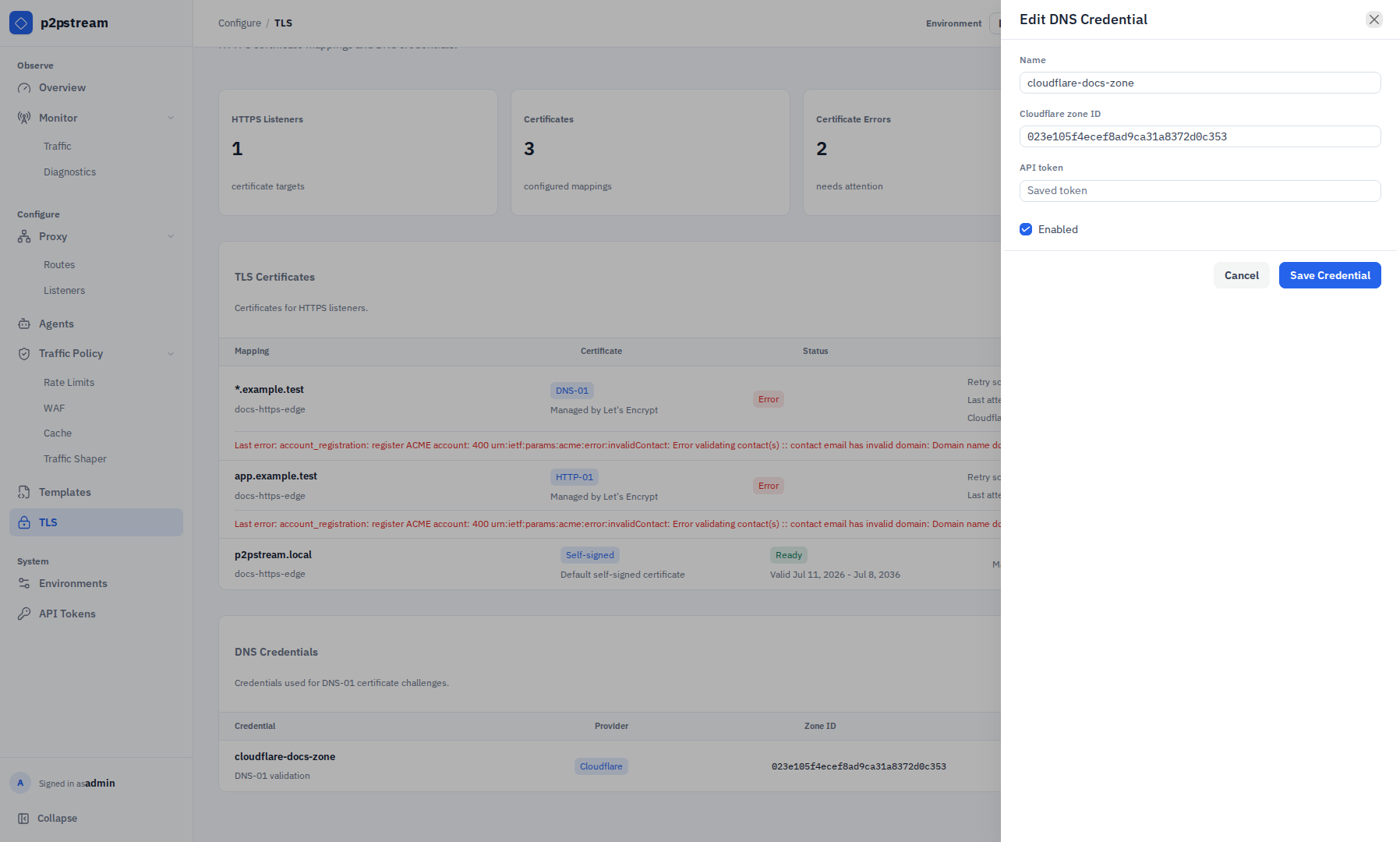
The DNS credential drawer stores the Cloudflare zone ID and API token server-side so DNS-01 certificate mappings can create ACME validation records. On TLS, select Add Certificate and create the certificate mapping:
Field Value Listener public-httpsHostname pattern *.example.comMethod DNS-01CA Let's Encrypt staging first Email your ACME account email DNS credential cloudflare-exampleEnabled On 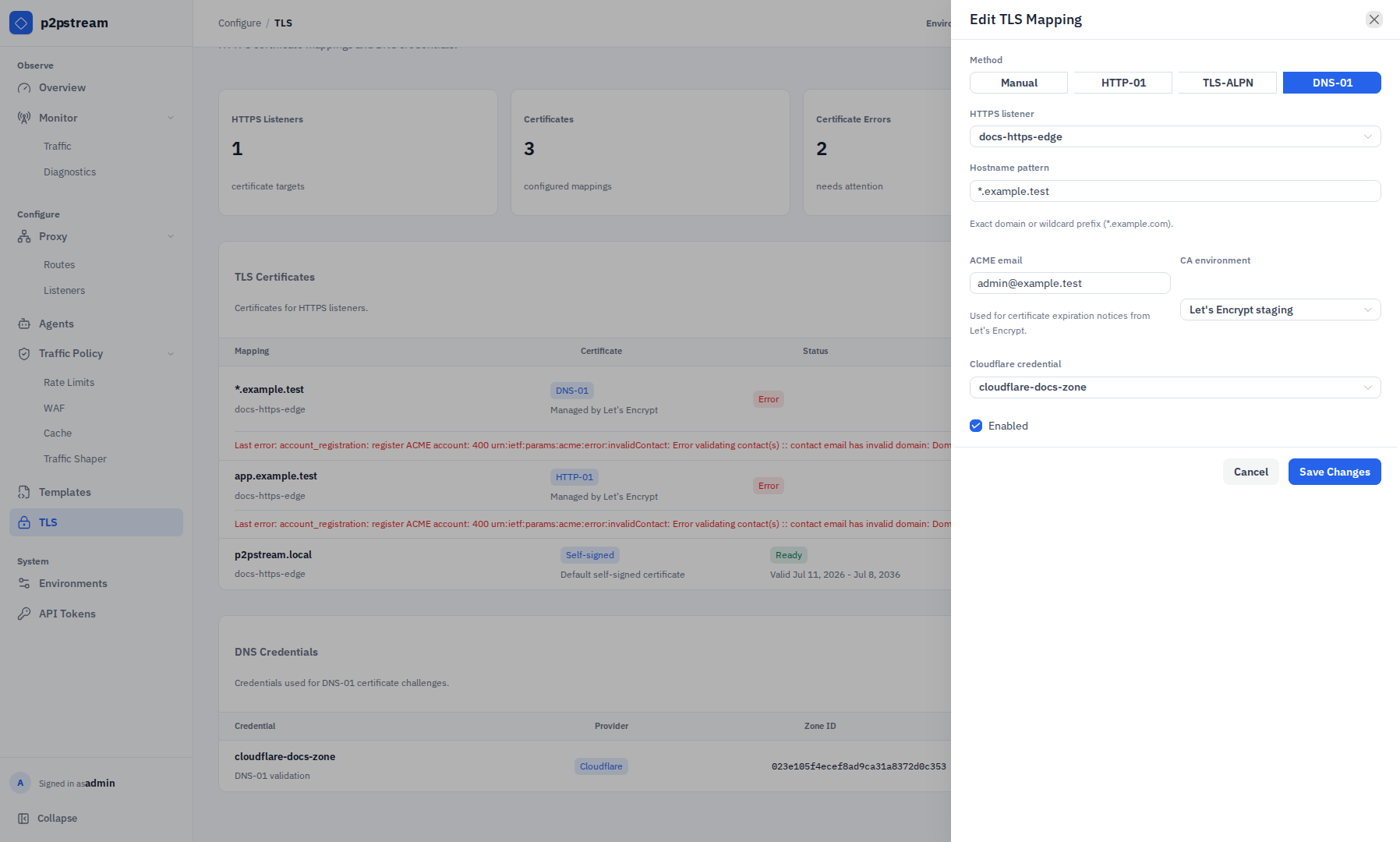
The DNS-01 mapping drawer selects the wildcard hostname pattern, HTTPS listener, ACME CA, and Cloudflare credential used for validation. After staging issuance works, switch the CA to Let's Encrypt production and renew.
Create matching routes. Wildcard TLS only provides the certificate.
Host pattern Path prefix Target app.example.com/appmedia.example.com/media*.example.com/fallback
Verification
The certificate status should become ready. Then test a routed wildcard host:
curl -I https://app.example.comTroubleshooting
| Symptom | Check |
|---|---|
| DNS credential rejected | Zone ID cannot be empty or contain whitespace/path characters. |
| Certificate issuance fails | Token must edit DNS records for the zone. |
| TLS works but route fails | Add or fix Proxy -> Routes for the hostname. |
| Apex host not covered | *.example.com does not cover example.com; add a separate mapping if needed. |