Publish a Service with a Direct Target
Expose an upstream service that is reachable from the p2pstream server as a public HTTPS hostname.
Use This When
Use a direct proxy target when the upstream origin is reachable from the VPS or host running p2pstream.
Example:
| Role | Value |
|---|---|
| Upstream origin | https://app.internal:8443 |
| Public URL | https://app.example.com |
Prerequisites
- p2pstream is running and you can log in to management.
- Public DNS for
app.example.compoints to the p2pstream host. - The p2pstream server/container can reach
https://app.internal:8443. - Docker publishes
443:443if you use the default HTTPS listener.
Steps
Open Proxy -> Listeners. Keep the seeded HTTPS listener, or select Add Listener to create one:
Field Value Name public-httpsProtocol HTTPS Bind address empty Port 443Enabled On Open Proxy -> Routes, select Add Route, and create a route for the hostname:
Field Value Listener HTTPS listener retained or created in step 1 ( public-httpson a default install)Priority 10Host pattern app.example.comPath prefix /Action Forward Enabled On In the Add Route drawer, add a proxy target to that route:
Field Value Name appType Proxy Transport Direct URL https://app.internal:8443Priority group 0Weight 100Skip TLS verify Off unless this is a controlled internal certificate exception Enabled On The public configuration API also supports upstream request headers, upstream basic authentication, and target health checks. The redesigned route drawer retains existing values for those fields but does not currently expose controls to add or change them; use the management API when you need to configure them.
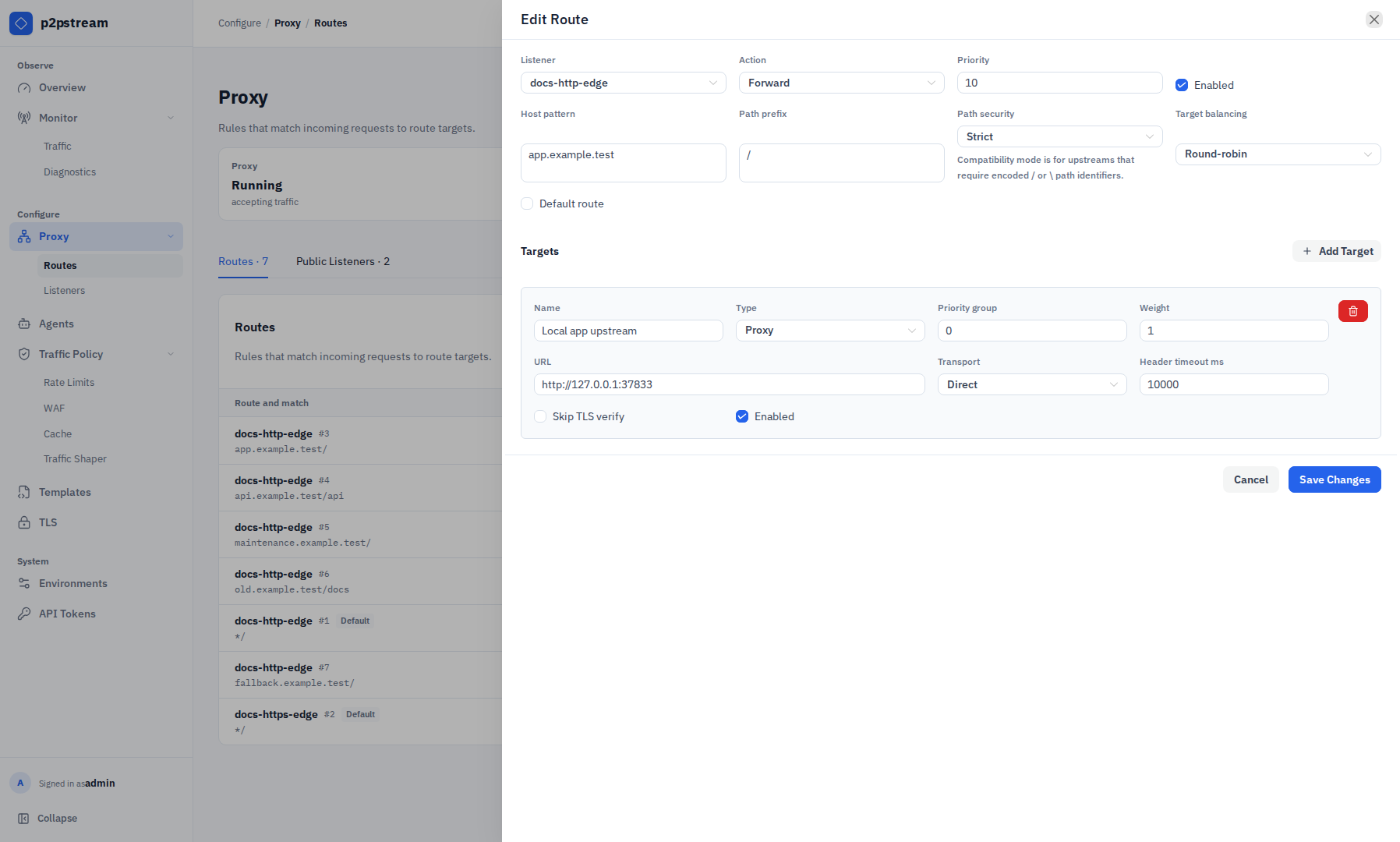
The route drawer keeps the match and its targets together. For a direct target, review the server-owned upstream URL, transport, response-header timeout, weight, and origin TLS verification policy before saving. Open TLS, select Add Certificate, and create a certificate mapping for
app.example.com.Validation path Use when HTTP-01 Port 80reaches p2pstream.TLS-ALPN-01 Port 443reaches p2pstream.DNS-01 You need wildcard certificates or cannot expose validation ports. 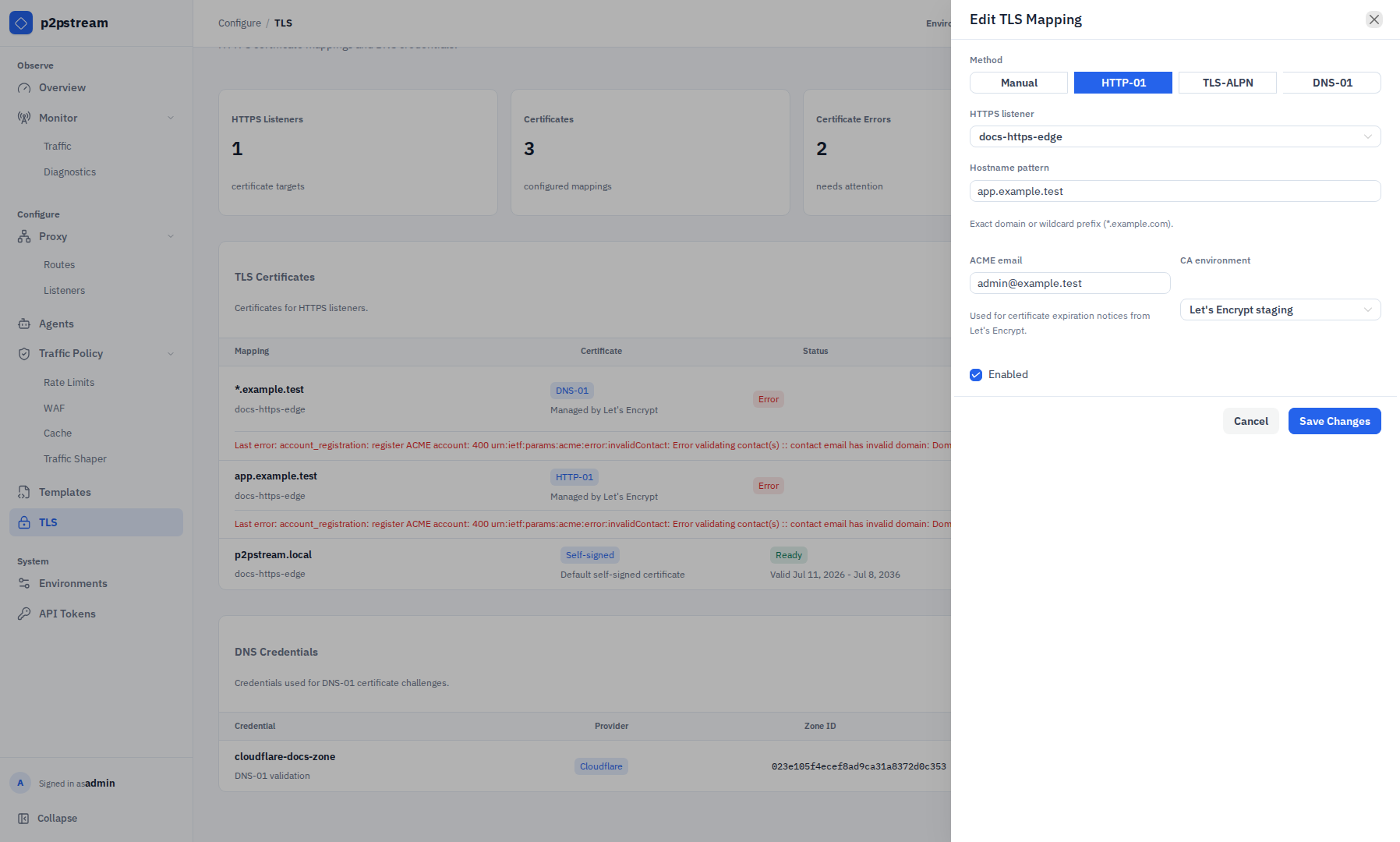
The TLS mapping drawer binds the public hostname to the HTTPS listener and selects the ACME validation method and CA environment.
Verification
Run:
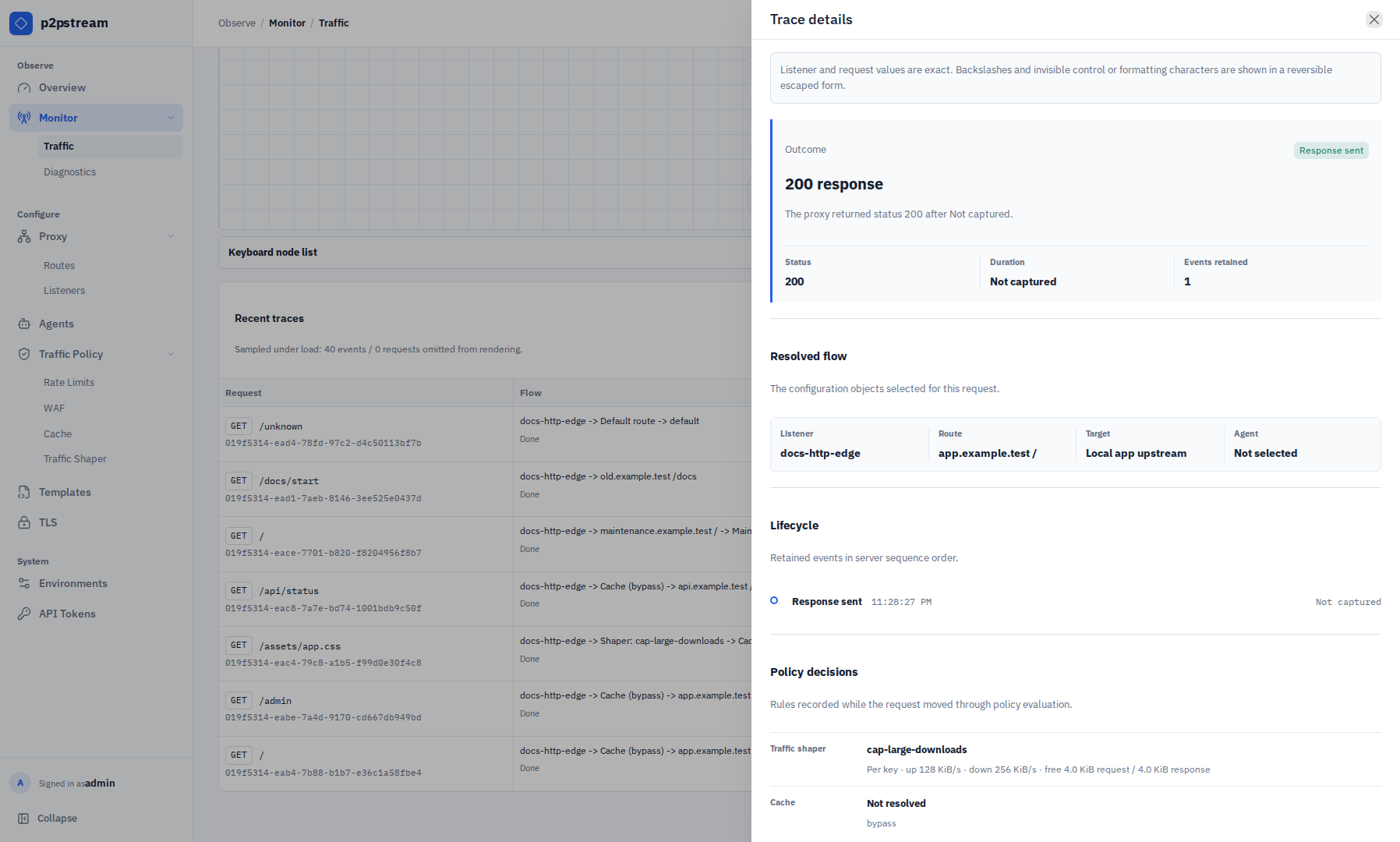
curl -I https://app.example.comThen check Overview for request counts and status classes. If you need request-stage details, open Monitor -> Traffic, enable Tracing, repeat the request, and inspect the selected route target in Recent traces.
Troubleshooting
| Symptom | Check |
|---|---|
502 Bad Gateway | Test the target URL from the p2pstream server/container. |
503 Service Unavailable | Confirm the route has an enabled available target; check target health if health checks are enabled. |
| Fallback/self-signed certificate | Add or fix the TLS certificate mapping for the requested hostname. |
| Route does not match | Confirm listener, host pattern, path prefix, and priority. |
For frontend assets such as CSS, JavaScript, images, and fonts, configure public asset caching under Traffic Policy -> Cache. See Public Asset Cache.