Environments Reference
Environments let one p2pstream management console operate other p2pstream instances. Each remote environment is an HTTPS management URL plus an admin access token and a pinned certificate trust decision.
The local instance is always available as the virtual Local environment in the header environment selector. It is not a row in the remote-environment registry. Remote environments are stored only on the control-plane instance where they are created and are managed by choosing Environments under System.
API Tokens
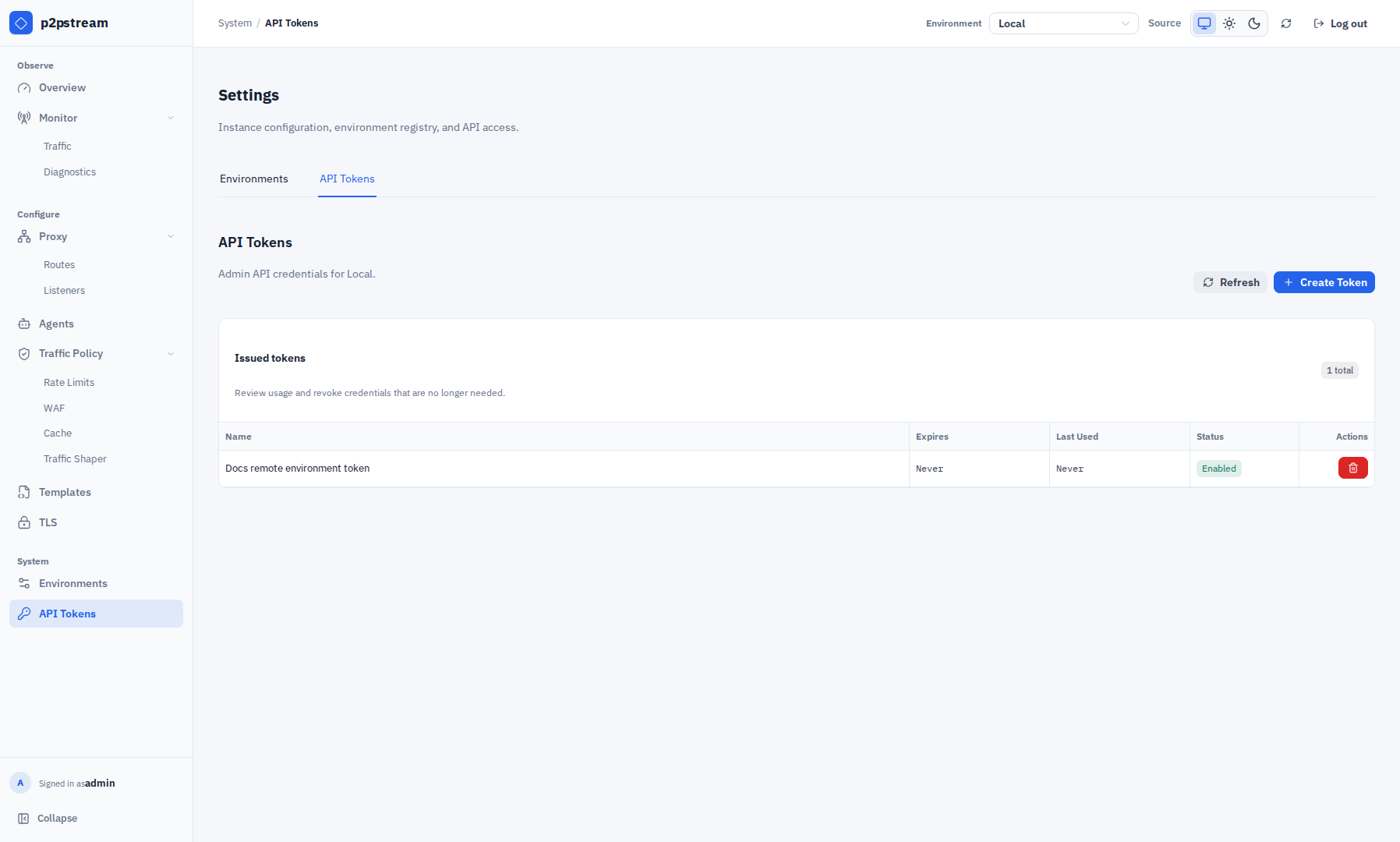
Create API tokens by choosing API Tokens under System. The page operates on the instance selected in the header environment selector. Tokens are shown once when created, start with p2pat_, and grant admin management API access.
API tokens are general admin API credentials for the selected instance. They can be used by remote environments, scripts, or other API clients that need management API access.
| Field | Behavior |
|---|---|
| Name | Required and unique. |
| Expiry | Optional. Empty means the token never expires. |
| Enabled | Disabled tokens cannot authenticate. |
| Last used | Updated after successful bearer authentication. |
Choose Create Token to open the creation drawer. Set a name, optional expiry, and whether the token is enabled immediately. After creation, copy the secret from the one-time confirmation before choosing Done; closing without copying requires an explicit discard confirmation. The issued-token table shows name, expiry, last use, and status. Use the revoke action to invalidate a credential immediately.
Expired, disabled, revoked, and malformed tokens are rejected.
Register A Direct Environment
Use direct transport when the control-plane server can reach the target management URL itself.
- On the target p2pstream instance, create an admin access token.
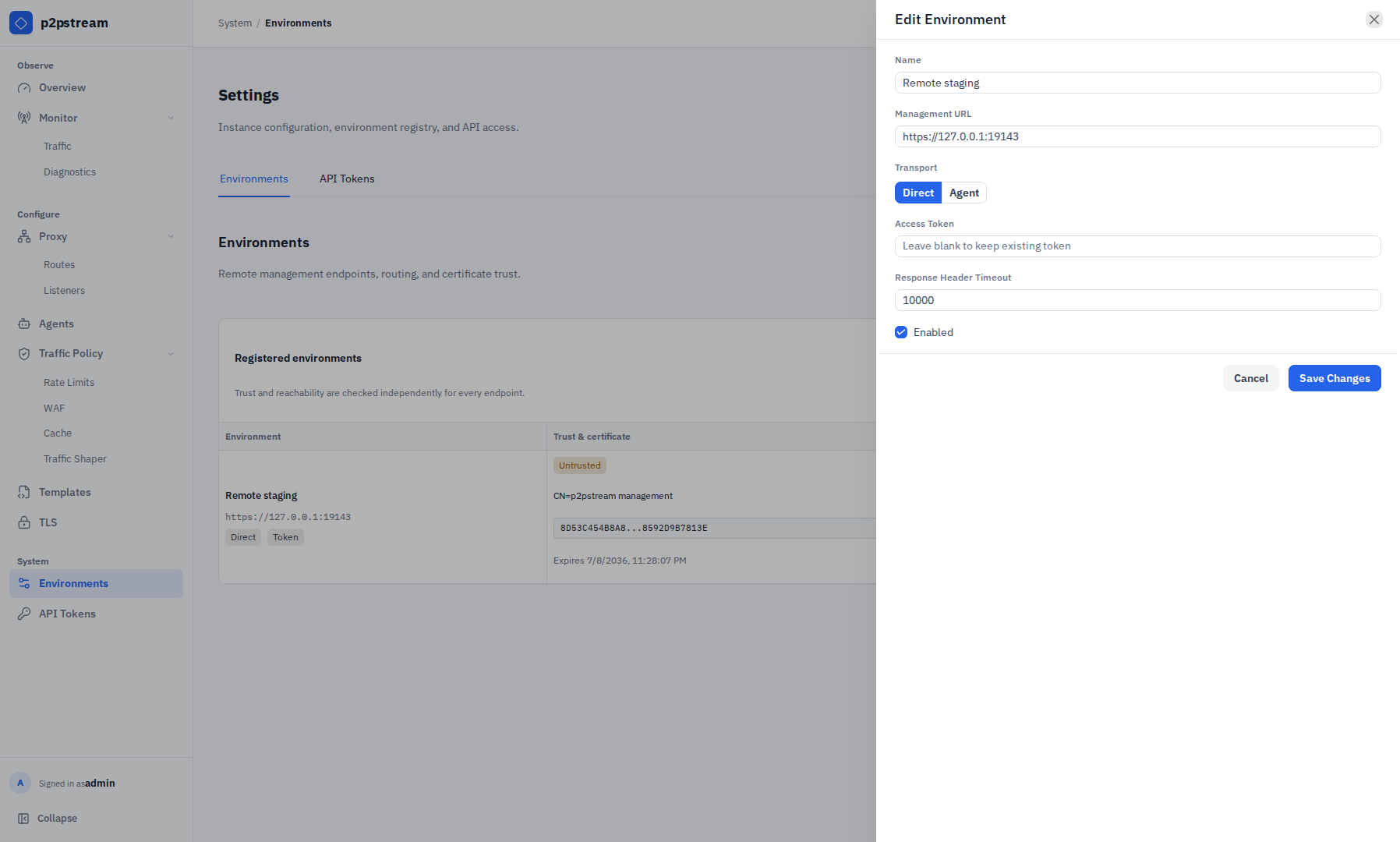
- On the control-plane instance, choose Environments under System, then choose Add Environment.
- Enter a unique name and an absolute
https://management URL with no fragment. - Select Direct transport.
- Paste the target access token.
- Choose Create Environment.
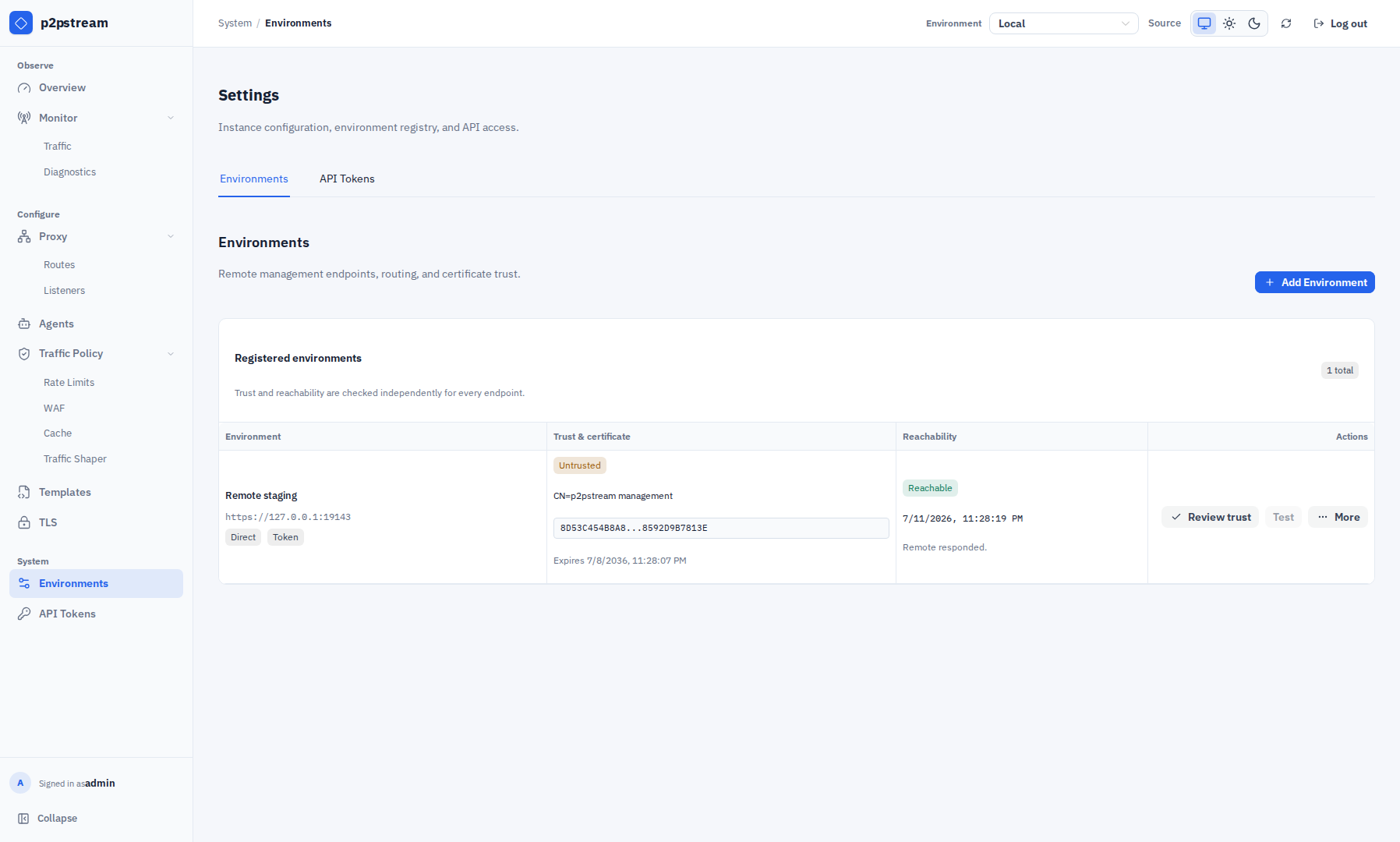
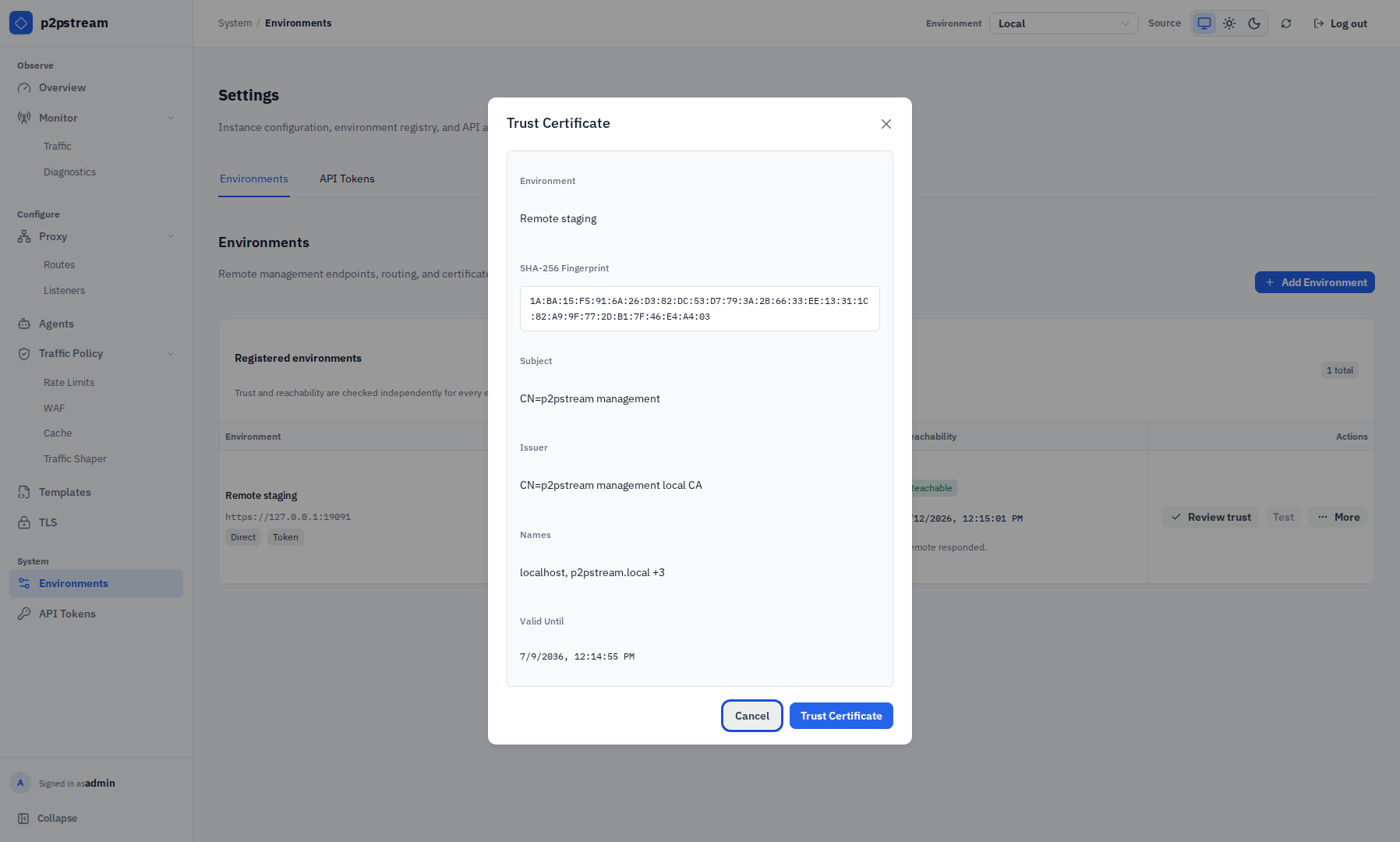
- Choose Discover certificate, then Review trust. Verify the full SHA-256 fingerprint and certificate identity before choosing Trust Certificate.
- Choose Test, then select the remote from the header environment selector.
The URL is normalized without a trailing slash. HTTP URLs are not accepted for environments.
Register An Agent-Routed Environment
Use agent transport when the control-plane server cannot reach the target directly, but a connected local agent can.
- Create or connect an agent on the control-plane instance.
- On the target instance, create an admin access token.
- Choose Environments under System, choose Add Environment, and select Agent transport.
- Pick the connected local agent that can reach the target management URL.
- Paste the target access token.
- Create the environment, discover the certificate through the agent, choose Review trust, verify its identity, and trust it.
Agent-routed management requests include per-request certificate trust metadata. They do not use TLS skip verification.
Certificate Trust
Remote environments use explicit trust-on-first-use.
- Discover certificate opens a TLS handshake to the target and collects the peer certificate.
- Discovery does not send the access token and does not make a management RPC.
- Review trust opens a confirmation showing the full colon-separated SHA-256 fingerprint, subject, issuer, SANs, and validity date.
- An admin explicitly trusts the certificate.
- Future remote management requests verify the target against the saved certificate and hostname.
Trust states:
| State | Meaning |
|---|---|
UNTRUSTED | No certificate has been saved. Remote management is blocked. |
TRUSTED | The observed certificate matches the saved certificate and is valid for the hostname and time. |
CHANGED | The observed certificate fingerprint differs from the saved fingerprint. Remote management is blocked until re-trusted. |
EXPIRED | The saved or observed certificate is past NotAfter. Remote management is blocked. |
For certificate rotation, rediscover the certificate, confirm the new fingerprint and identity details, then trust the replacement certificate. Normal remote operations remain blocked while the environment is changed or expired.
Operational Behavior
The header environment selector controls selected-instance views such as Overview, Monitor, Proxy, Agents, Traffic Policy, Templates, TLS, and API Tokens. Setup, login, logout, current user, and the Environments registry always stay local.
The Environments table separates certificate trust from reachability. Depending on state, the primary certificate action is Discover certificate, Review trust, or Refresh certificate. Test checks the trusted endpoint. More contains Edit environment and Delete environment; deleting removes the saved endpoint and access token from the control-plane instance.
When switching environments, traffic tracing reconnects to the selected environment and clears retained trace state.
Security Notes
- Environment access tokens grant admin access to the target p2pstream instance.
- Environment access tokens are stored by the control-plane instance because it must replay them to proxy unattended management requests.
- HTTPS is required for every remote environment.
- Environment certificate verification is pinned and hostname-checked, not skipped.
- Certificate discovery never sends access tokens.
- Agent authentication is separate from management access token authentication.