Expose a Home Lab App Through an Agent
Expose a service from a private network by installing an agent that connects outbound to the p2pstream management server.
Use This When
Use an agent target when the upstream service is reachable from a home lab or remote host, but not from the public p2pstream server.
Example:
| Role | Value |
|---|---|
| p2pstream management | https://proxy.example.com:8081 |
| Home lab service | http://homeassistant.local:8123 |
| Public URL | https://ha.example.com |
Prerequisites
- The p2pstream server is reachable by the agent over management HTTPS/TLS and
/agent/tunnel. MANAGEMENT_PUBLIC_URLis set to the external management URL.- The home lab host can reach the upstream service.
- Public DNS for
ha.example.compoints to the p2pstream server.
Steps
Open Agents -> Fleet and select Add Agent. Enter the agent in the Add Agent drawer, then select Create Agent.
Field Value Name home-labEnabled On After creation, the Agent Setup modal shows the generated
AGENT_IDand one-timeAGENT_TOKEN.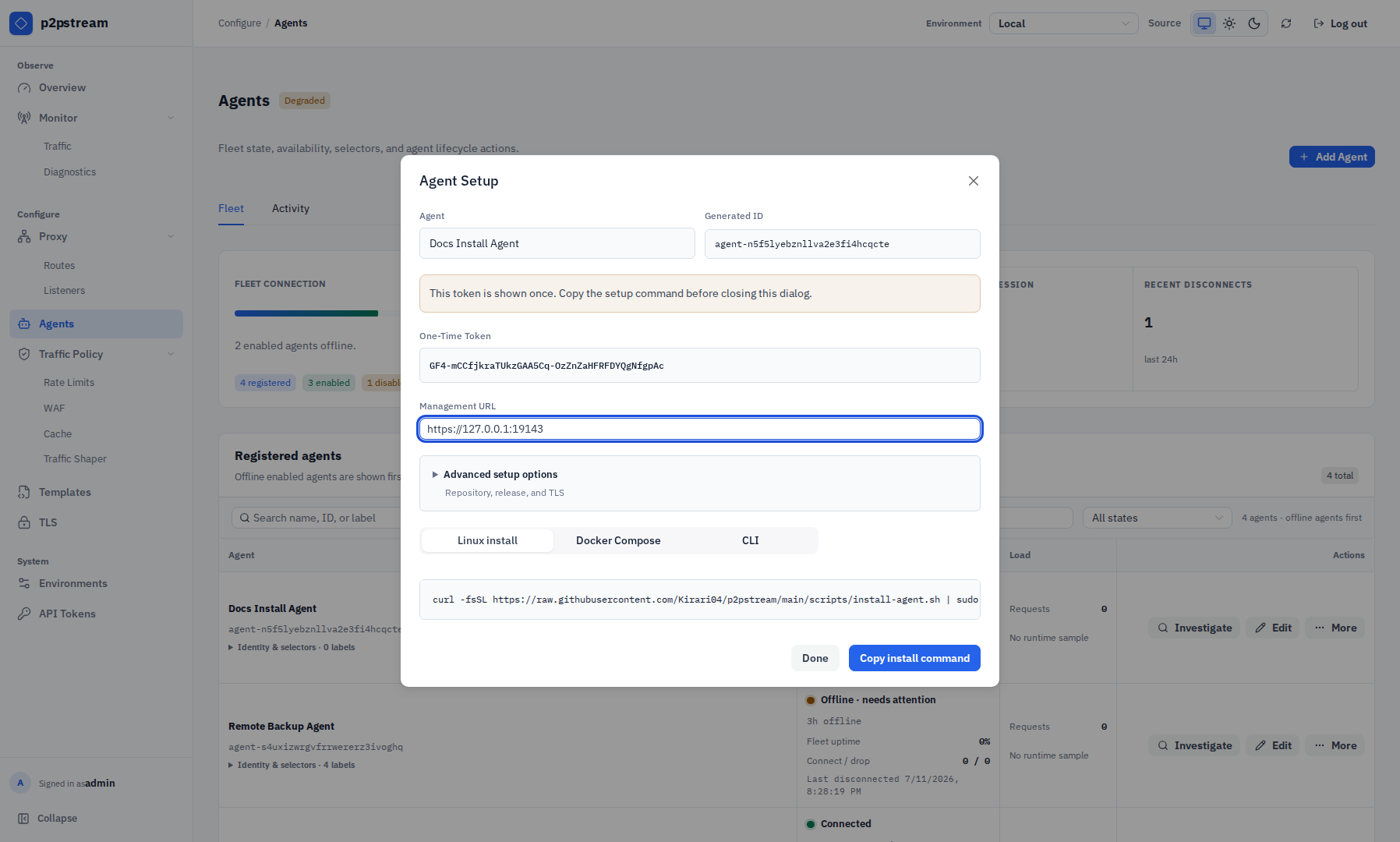
The Agent Setup modal shows the one-time token and generated installer snippets. Copy the command before selecting Done because the token is not shown again. On the home lab host, run the generated Linux installer from the Agent Setup modal. It has this shape:
bashcurl -fsSL https://raw.githubusercontent.com/Kirari04/p2pstream/main/scripts/install-agent.sh | sudo env \ MANAGEMENT_URL='https://proxy.example.com:8081' \ MANAGEMENT_CA_PEM_BASE64='...' \ AGENT_ID='agent-...' \ AGENT_TOKEN='...' \ P2PSTREAM_REPOSITORY='Kirari04/p2pstream' \ P2PSTREAM_VERSION='latest' \ bashThe installer creates
/usr/local/bin/p2pstream,/etc/p2pstream/agent.env, andp2pstream-agent.service, then restarts the agent service. You can run the generated Linux command again after token rotation to reinstall the existing agent with the new token. Staging management UIs generate the same command withP2PSTREAM_VERSION='staging'and the installer script loaded from thestagingbranch.Check the agent service:
bashsudo systemctl status p2pstream-agent sudo journalctl -u p2pstream-agent -fSelect Edit for the agent and add a label in the Edit Agent drawer, for example:
Key Value sitehome-labLabels under
p2pstream.io/are system-owned and read-only. The exact-agent selector label isp2pstream.io/agent-id=<agent public ID>. Empty label values are allowed, but should be used only when you intentionally want to match an empty value.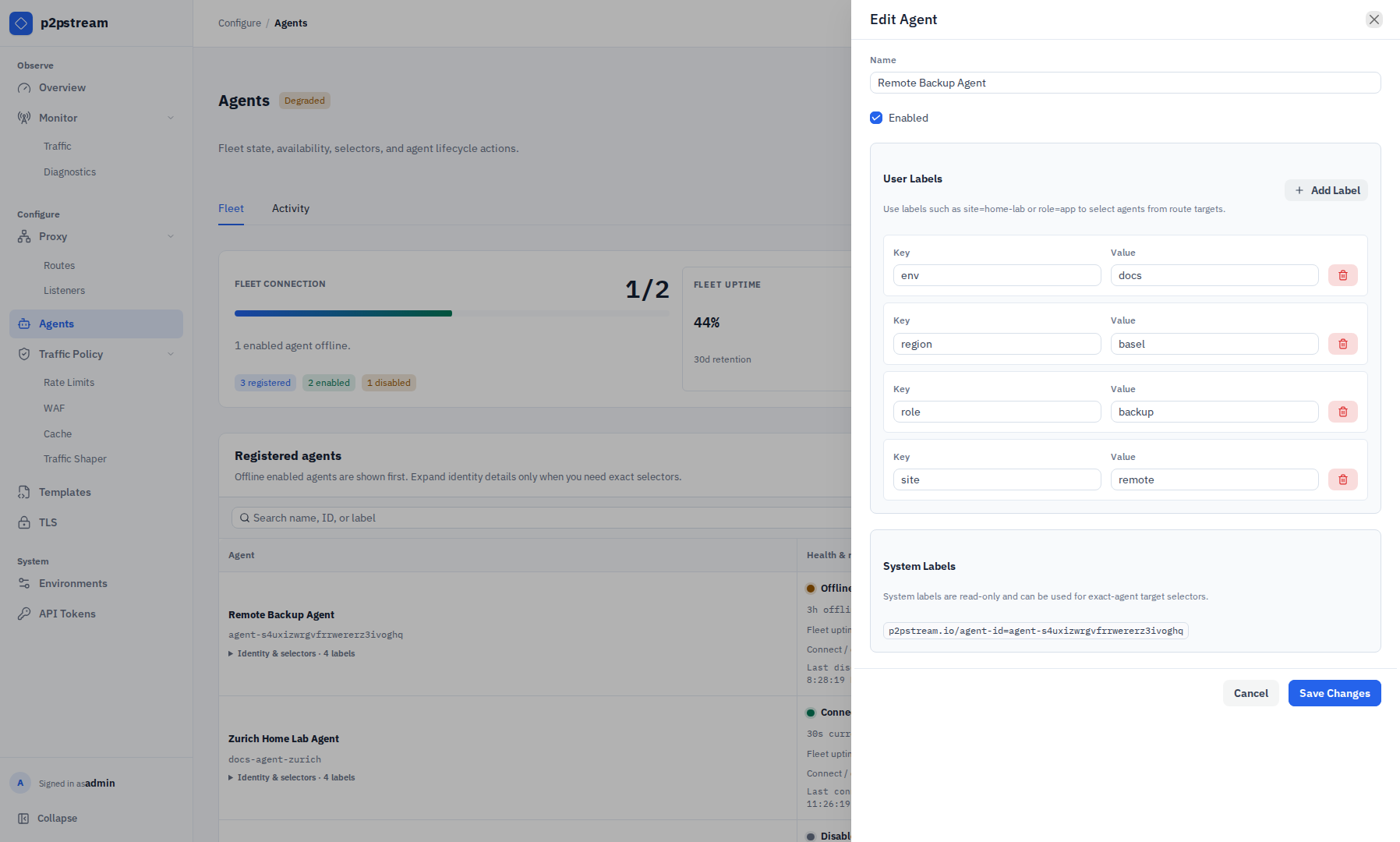
Agent labels are the bridge between connected workers and agent route targets. User labels are editable; system labels are read-only and can be copied for exact-agent targeting. Open Proxy -> Routes, select Add Route or a route's Edit action, then add an agent proxy target in the route drawer:
Origin resolution
The origin URL is resolved from the agent host, not from the p2pstream server. Set it to whatever the agent host can reach —
localhost, a LAN hostname, or an internal IP are all valid here.Field Value Name homeassistantType Proxy Transport Agent URL http://homeassistant.local:8123Agent selector site=home-labPriority group 0Weight 100Enabled On 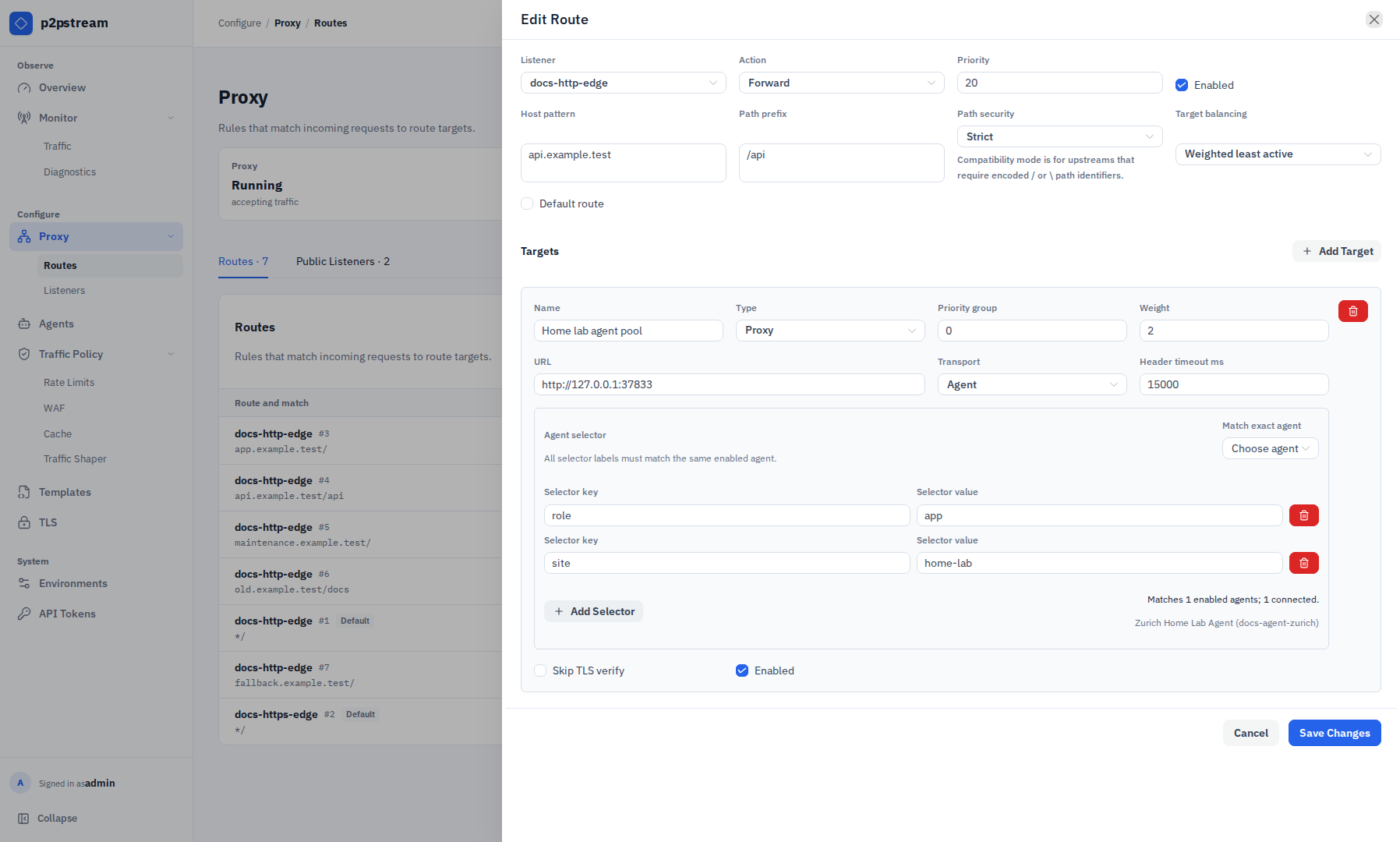
The agent target section selects agents by label and keeps the origin URL relative to the selected agent host, not the p2pstream server. New agent targets use round-robin selection among matching agents by default. The public configuration API supports additional agent-selection policies; the redesigned route drawer retains an existing policy but does not currently expose a control to change it.
Configure the route match:
Field Value Listener public-httpsHost pattern ha.example.comPath prefix /Open TLS, select Add Certificate, and create an ACME certificate mapping for
ha.example.com.
Verification
Run:
curl -I https://ha.example.comAgents -> Fleet should show the agent connected, and Monitor -> Traffic tracing should show the selected route target and agent.
Troubleshooting
| Symptom | Check |
|---|---|
| Agent offline | Confirm MANAGEMENT_URL, CA material, token, and outbound firewall access. |
| Target fails | Test http://homeassistant.local:8123 from the agent host. |
| Health check unhealthy | Health checks run from each matching connected agent. |
| Need to remove the agent | On Agents, select More -> Show uninstall command, or use Systemd uninstall. |
Agent selectors require at least one label, and all selector labels must match the same agent. If no label-matched agent is connected, requests to this target fail until an enabled matching agent reconnects.