Rate Limits Reference
Rate limit rules are global public proxy rules evaluated after WAF rules and before traffic shapers and route resolution.
In the management UI, choose Traffic Policy -> Rate Limits. The Rate Limits tab has its own rule count, text and enabled-state filters, and compact columns for the rule, match and key, budget and response, priority and state, and actions. The shared Request Tester previews how a synthetic request moves through all policy stages without sending it through the public listener.
Exact Fields And Defaults
| Setting | Default or limit |
|---|---|
| Name | rate-limit when empty |
| Limit | 60 |
| Window | 60000 ms |
| Response status | 429 |
| Response body source | Inline |
| Response body | Rate limit exceeded\n |
| Response content type | text/plain; charset=utf-8 |
| Default key | remote IP |
| Max key parts | 8 |
| Max value matchers | 32 |
Algorithms:
| Algorithm | Notes |
|---|---|
| Fixed window | Cheapest and easiest to understand. |
| Sliding window | Better fairness around window boundaries. |
| Token bucket | Allows bursts up to burst capacity. |
| Leaky bucket | Smooths bursty traffic. |
Which algorithm to choose
| Scenario | Recommended algorithm |
|---|---|
| Login or form endpoint — strict, no burst | Sliding window |
| API endpoint — allow short bursts, then throttle | Token bucket |
| Simple per-IP cap with minimal overhead | Fixed window |
| Smooth, metered API throughput — eliminate all bursts | Leaky bucket |
Token bucket is the default and works well for most API use cases. Use sliding window for sensitive endpoints like login where any burst tolerance is undesirable.
Validation Rules
- Limit must be at least
1. - Window must be between 1 second and 1 day.
- Burst must be non-negative and cannot exceed 10x limit.
- Response status must be between
400and599. - Template-mode responses require a selected
generic_bodyresponse template. - Header matcher names and response header names must be valid HTTP tokens.
- Protected generated headers such as
RateLimit-*,X-RateLimit-*,Retry-After,Content-Length, andConnectioncannot be configured as custom response headers.
Rules use request-only CEL match_rule rules. Empty match rules match every request. See CEL Policy Matching for variables, helper functions, builder behavior, limits, and examples.
Route data, target data, target health, and load-balancer state are not available inside rate-limit match CEL. p2pstream may perform a route-only path security match before rate limits, but rate limits still run before route target selection.
Rate-limit path matching and path key parts use p2pstream's decoded request path. On routes that allow encoded separators for upstream compatibility, avoid per-path limits that rely on decoded slash boundaries as a security boundary.
Key sources:
- remote IP,
- host,
- method,
- path,
- protocol,
- header,
- cookie,
- query parameter.
REMOTE_IP is the only built-in client-IP identity source. It uses the connection peer by default. When that peer belongs to an enabled source under Traffic Policy -> WAF -> Visitor identity & GeoIP, it uses the strictly resolved visitor address instead. Missing, malformed, or contradictory headers from a trusted source produce an unknown visitor address rather than falling back to attacker-controlled input.
HEADER key parts remain supported for application headers such as X-Plan, but they cannot use forwarding or client-IP headers such as Forwarded, X-Forwarded-For, X-Real-IP, X-Forwarded-Host, X-Forwarded-Proto, X-Forwarded-Port, or common client-IP variants. Configure proxy/CDN trust in Visitor identity & GeoIP rather than copying a client-IP header into a generic key part.
Before upgrading from an older version that allowed arbitrary header key parts, inspect stored rules:
SELECT id, name, key_parts_json
FROM public_rate_limit_rules
WHERE lower(key_parts_json) LIKE '%forwarded%'
   OR lower(key_parts_json) LIKE '%x-real-ip%'
   OR lower(key_parts_json) LIKE '%client-ip%'
   OR lower(key_parts_json) LIKE '%connecting-ip%';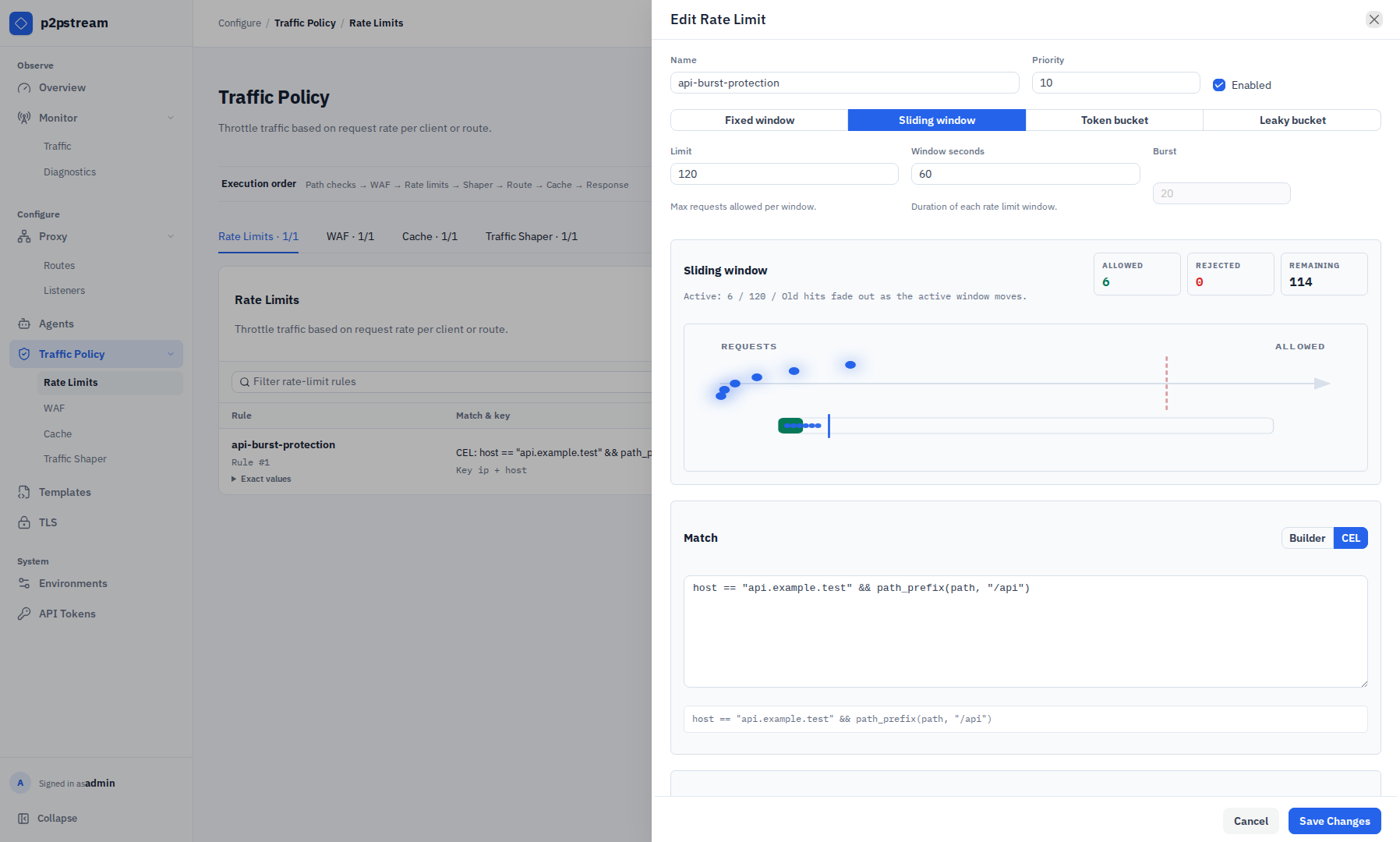
Runtime Effects
When a request exceeds the selected rule's budget, p2pstream returns the configured response and does not run traffic shaping, route resolution, target selection, or cache lookup for that request.
When response body source is Template, p2pstream resolves the selected generic template body into the rule before serving the denial response. The rule's configured status, content type, generated rate-limit headers, and custom response headers still apply.
Token and leaky bucket burst defaults to the effective limit when unset.
Examples
Login rule:
Method: POST
Host pattern: app.example.com
Path prefix: /login
Algorithm: Sliding window
Limit: 10
Window: 60000 ms
Key: remote IP