Build a Multi-Agent Target
Spread one public route target across multiple remote agents with label selectors, weighted load balancing, and per-agent health behavior.
Use This When
Use an agent-selected target when multiple hosts can reach the same upstream, or when you want backup remote paths for one public service.
Prerequisites
- At least two registered agents.
- Each agent is installed, enabled, and connected.
- Each agent host can reach the target URL.
Steps
Open Agents -> Fleet, select Add Agent, and create one agent per host.
Agent Suggested label home-lab-asite=home-labhome-lab-bsite=home-labworkshopsite=workshopIn each Agent Setup modal, copy and run the generated setup command, then wait until each agent shows connected.
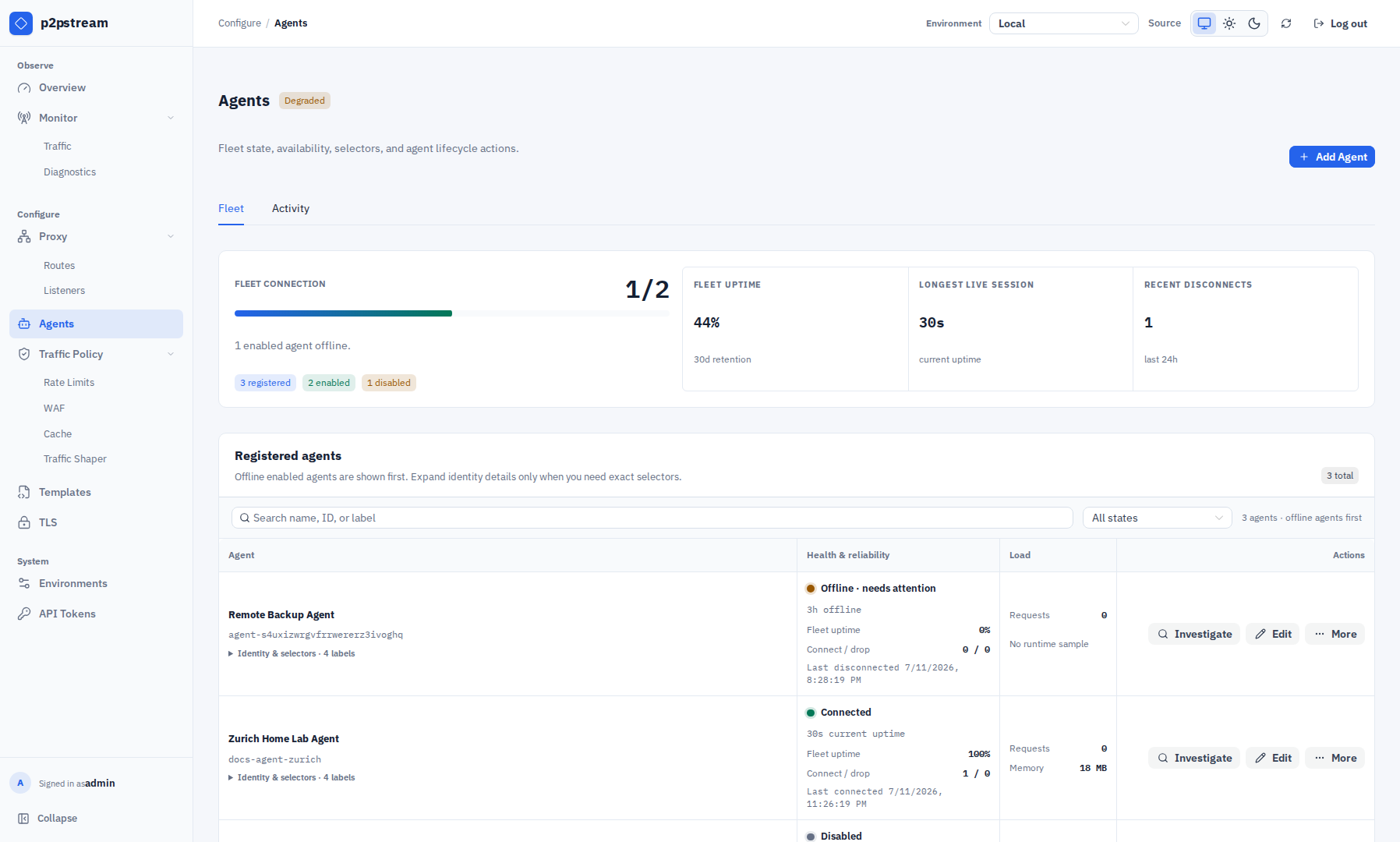
The Fleet page is the pool inventory. Check connection state, uptime, active requests, and selectors here; use the Activity tab for runtime pressure and recent connection sessions. Select Edit for each agent and add user labels in the Edit Agent drawer. Labels under
p2pstream.io/are reserved for p2pstream and are shown read-only, but labels such assite=home-lab,region=eu, orcapacity=largeare operator-owned. Empty label values are allowed, but they should be intentional because they only match empty selector values.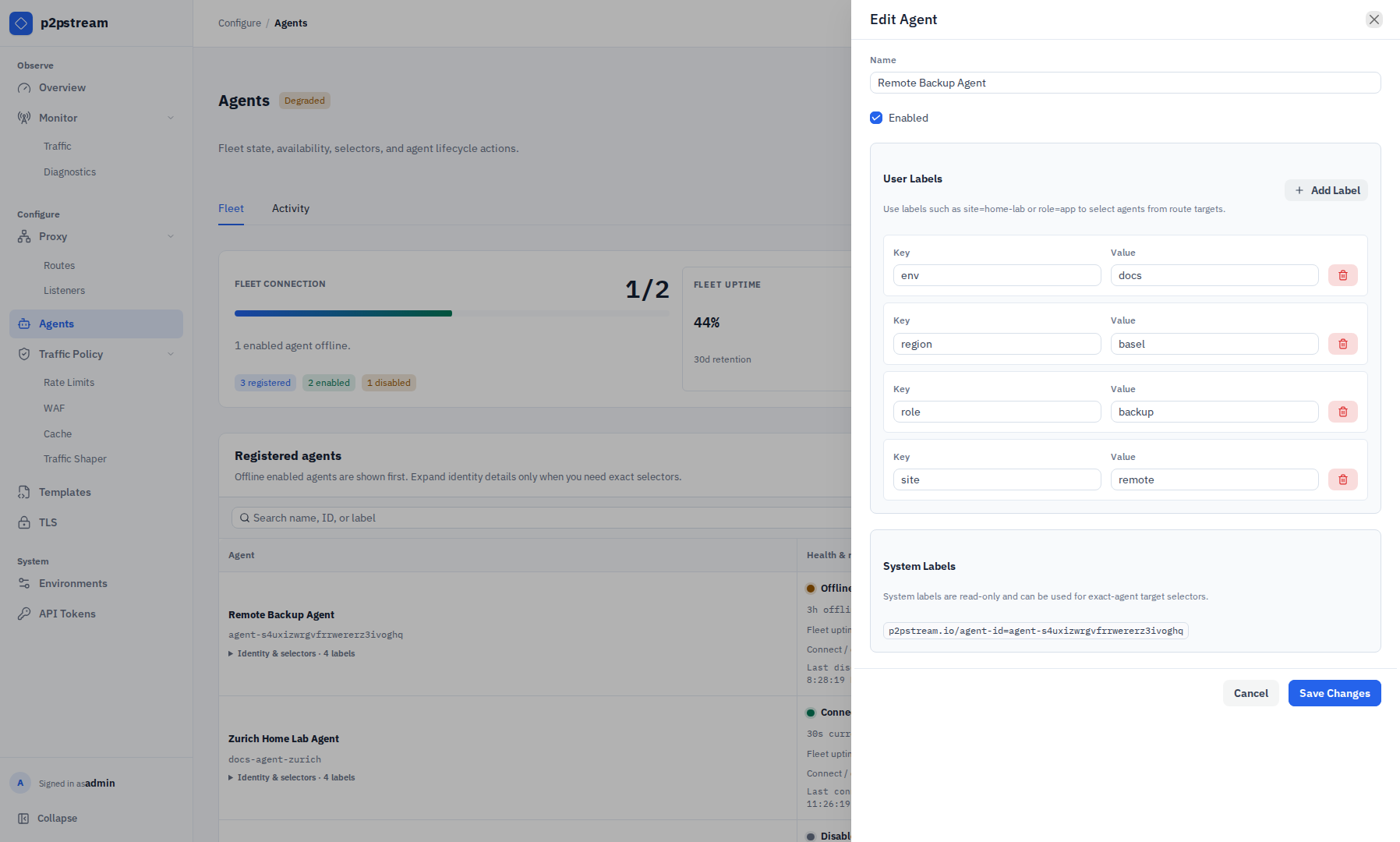
Use shared labels for pools and the reserved exact-agent label only when a route must pin traffic to one specific registered agent. Open Proxy -> Routes, select Add Route or a route's Edit action, then add an agent proxy target in the route drawer:
Field Value Name media-home-labType Proxy Transport Agent URL http://media.local:8096Agent selector site=home-labPriority group 0Weight 100Enabled On 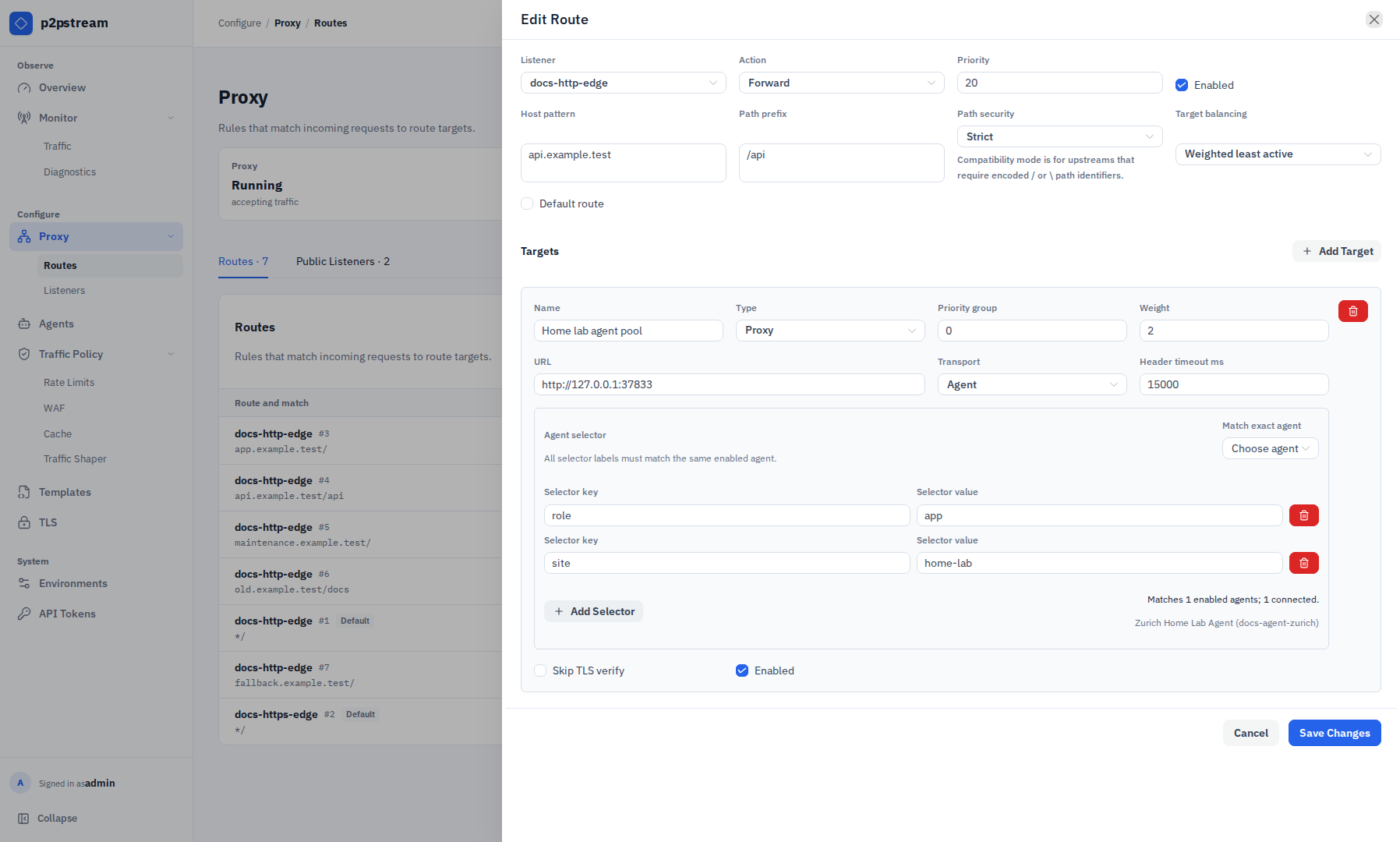
The route drawer previews how many enabled and connected agents match all selector labels. The Target balancing control above the target governs route-target selection, not selection among agents. New agent targets use round-robin selection among matching agents by default. The public configuration API supports additional agent-selection policies; the redesigned route drawer retains an existing policy but does not currently expose a control to change it.
Add another target with a higher priority group for failover, if needed:
Field Value Name media-workshop-fallbackTransport Agent Agent selector site=workshopPriority group 1
Targets in priority group 1 are only used if every eligible target in group 0 is unavailable. Agent selectors require at least one label. When you add multiple selector labels, every label must match the same agent. For exact-agent targeting, use the system label p2pstream.io/agent-id=<agent public ID>.
Runtime Effects
For each matching request, p2pstream selects an enabled healthy target from the lowest available priority group. For an agent target, it then selects an enabled connected agent whose labels match the target selector, opens a Yamux stream over that agent's authenticated management tunnel, and runs the server-owned HTTP transport over the resulting TCP stream.
If health checks are enabled, checks run through each matching connected agent. A loopback origin such as http://127.0.0.1:8888 means loopback on each selected agent host.
Agent targets enforce the response-header timeout in the server-side transport. The default is 60000 ms.
For flaky VPN paths, add an opt-in rule under Traffic Policy → Retries. Start with GET and HEAD, one retry, and Connection establishment only. A retry stays on this target, excludes the failed agent, and uses the target's agent load-balancing policy to choose a replacement. At least two matching connected agents are required. See Request Retries before enabling broader failures, request-body replay, or methods with side effects.
Agent tunnels use Yamux keepalives over an HTTP/1.1 upgraded management connection. When management is behind another reverse proxy, allow upgrade streaming for p2pstream-yamux on /agent/tunnel and configure that proxy's idle timeout high enough for long-lived agent sessions.
Old WebSocket agents are incompatible with Yamux-tunnel servers. Upgrade agents and servers together.
Verification
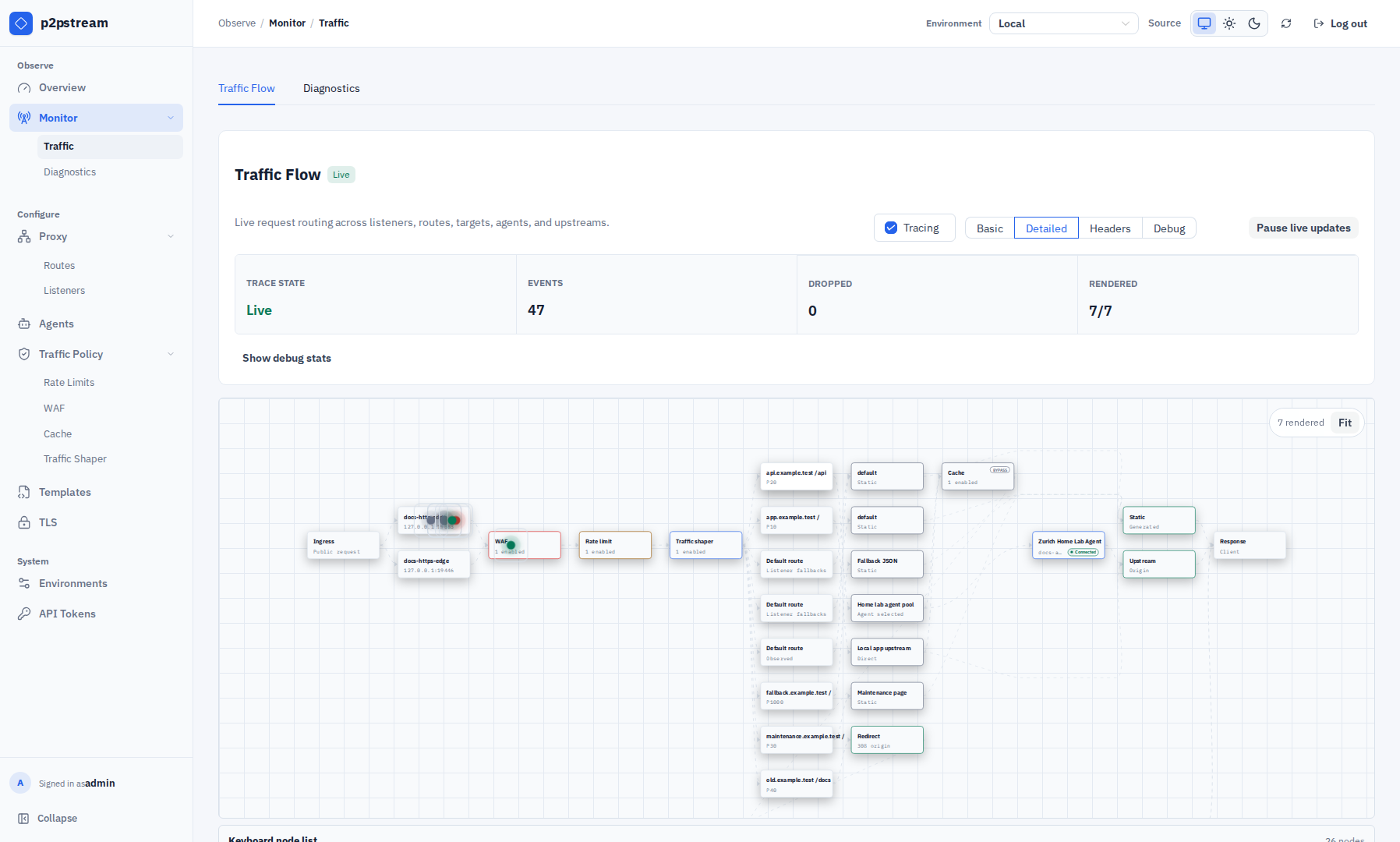
Send repeated requests and inspect Overview -> Hotspots -> Agents or Monitor -> Traffic tracing to confirm traffic moves across the expected agents. Use Agents -> Fleet to check labels, current uptime, offline duration, and connection counts; use Agents -> Activity for recent connection sessions.
Troubleshooting
| Symptom | Check |
|---|---|
| One agent receives too much traffic | Review selector labels and the target's API-configured agent load-balancing policy. |
| Requests fail from one site | Test the target URL from that agent host. |
| Agent is skipped | Confirm it is enabled, connected, label-matched, and healthy when health checks are on. |
| Agent disconnects while idle | Check management reverse-proxy HTTP/1.1 upgrade support and idle timeout for p2pstream-yamux. |
| Long first-byte delay times out | Increase target response-header timeout. |
| A retry rule never recovers | Confirm another enabled, connected, label-matched agent is available in the same target and inspect retry samples in Monitor → Diagnostics. |