Redirects and Static Responses
Return redirects or fixed local responses without forwarding the request to an upstream service.
Use This When
Use redirects for host/path migrations. Use static responses for maintenance pages, health probes, or deliberate sink routes.
Prerequisites
- A listener that receives the public request.
- A clear host/path match so the redirect or static route does not catch unrelated traffic.
Steps
To redirect a whole host, open Proxy -> Routes, select Add Route, and create:
Field Value Listener public-httpsPriority 10Host pattern old.example.comPath prefix /Action Redirect Mode External origin Target https://new.example.comStatus 308Preserve path suffix On Preserve query On This sends:
texthttps://old.example.com/docs?a=1 -> https://new.example.com/docs?a=1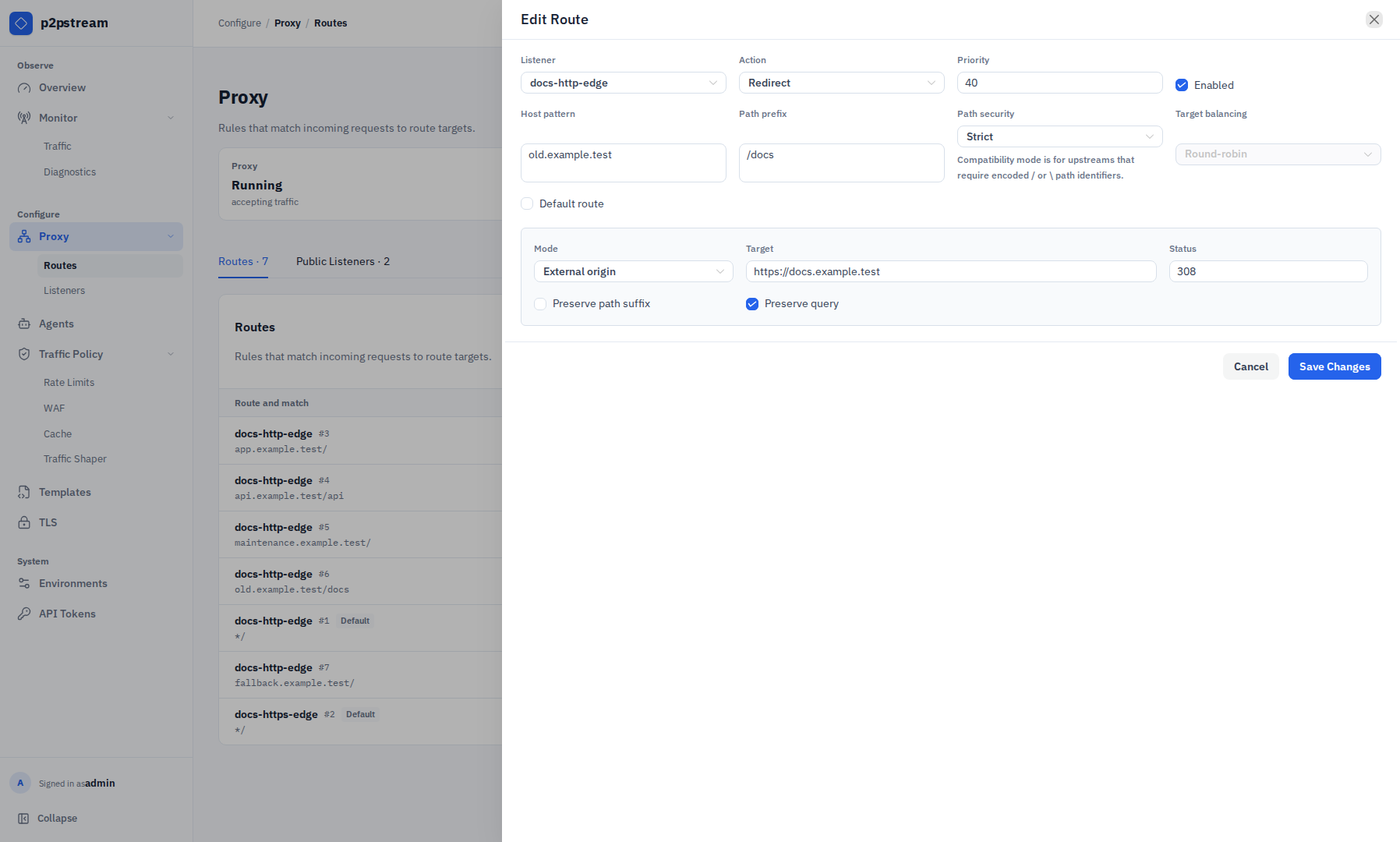
The route drawer keeps redirect mode, target, status code, path-suffix preservation, and query handling with the match that triggers it. To redirect a path on the same host, use same-host path mode:
Field Value Host pattern app.example.comPath prefix /oldMode Same host path Target /newStatus 302To serve a static maintenance response, open the matching route's Edit action under Proxy -> Routes, then select Add Target and configure a static target:
Field Value Name maintenanceType Static Status 503Body Maintenance in progressEnabled On Static targets also support reusable Generic body templates and response headers such as
Content-TypeandRetry-Afterthrough the public configuration API. The redesigned route drawer retains existing template and header values but currently exposes only the inline Body control. Create reusable bodies under Templates, then use the management API when you need to attach one or configure static-response headers until those drawer controls are restored.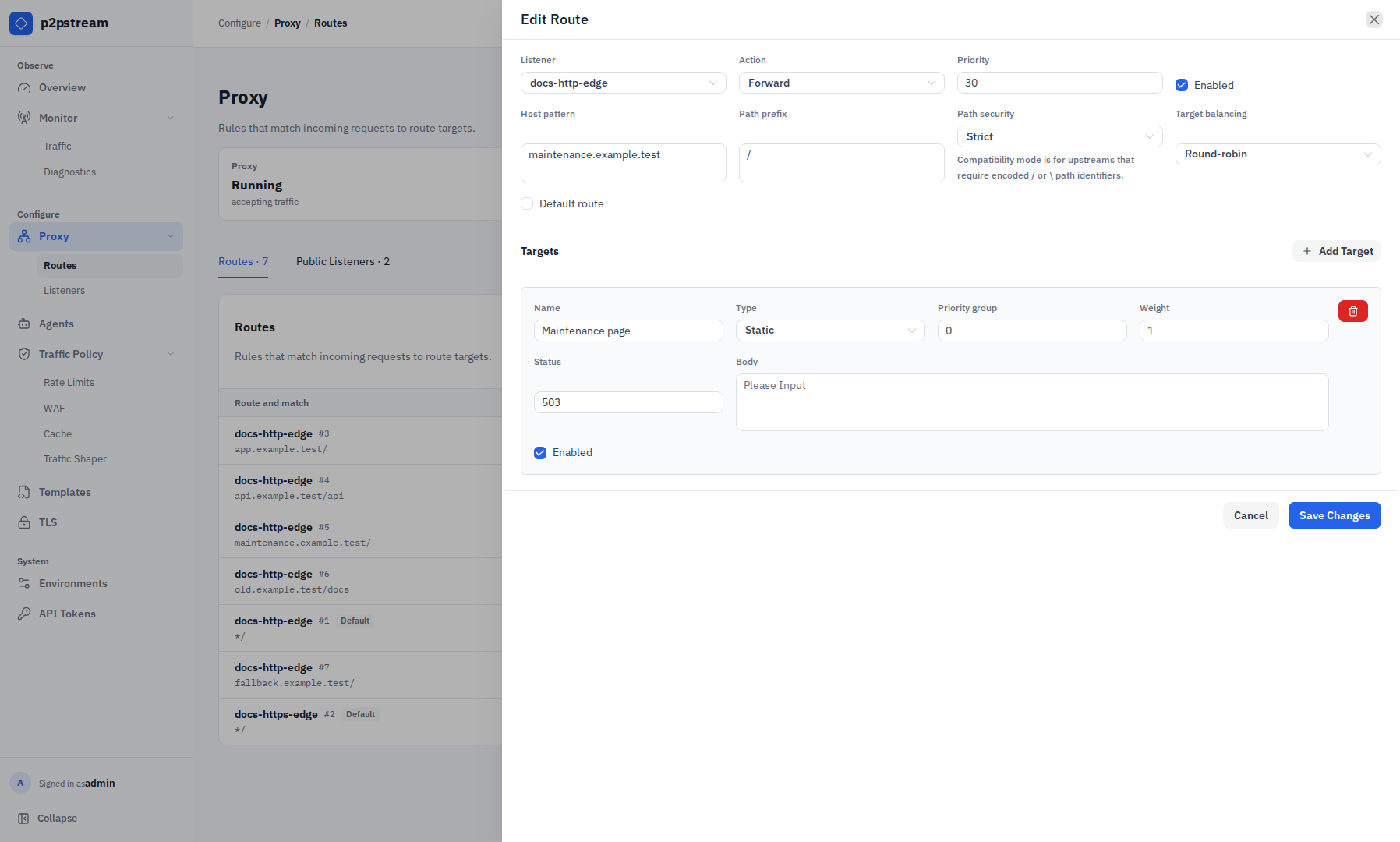
A static target returns directly from p2pstream. The visible route drawer controls its status and inline body for deliberate local responses such as maintenance pages, probes, or temporary sink routes. 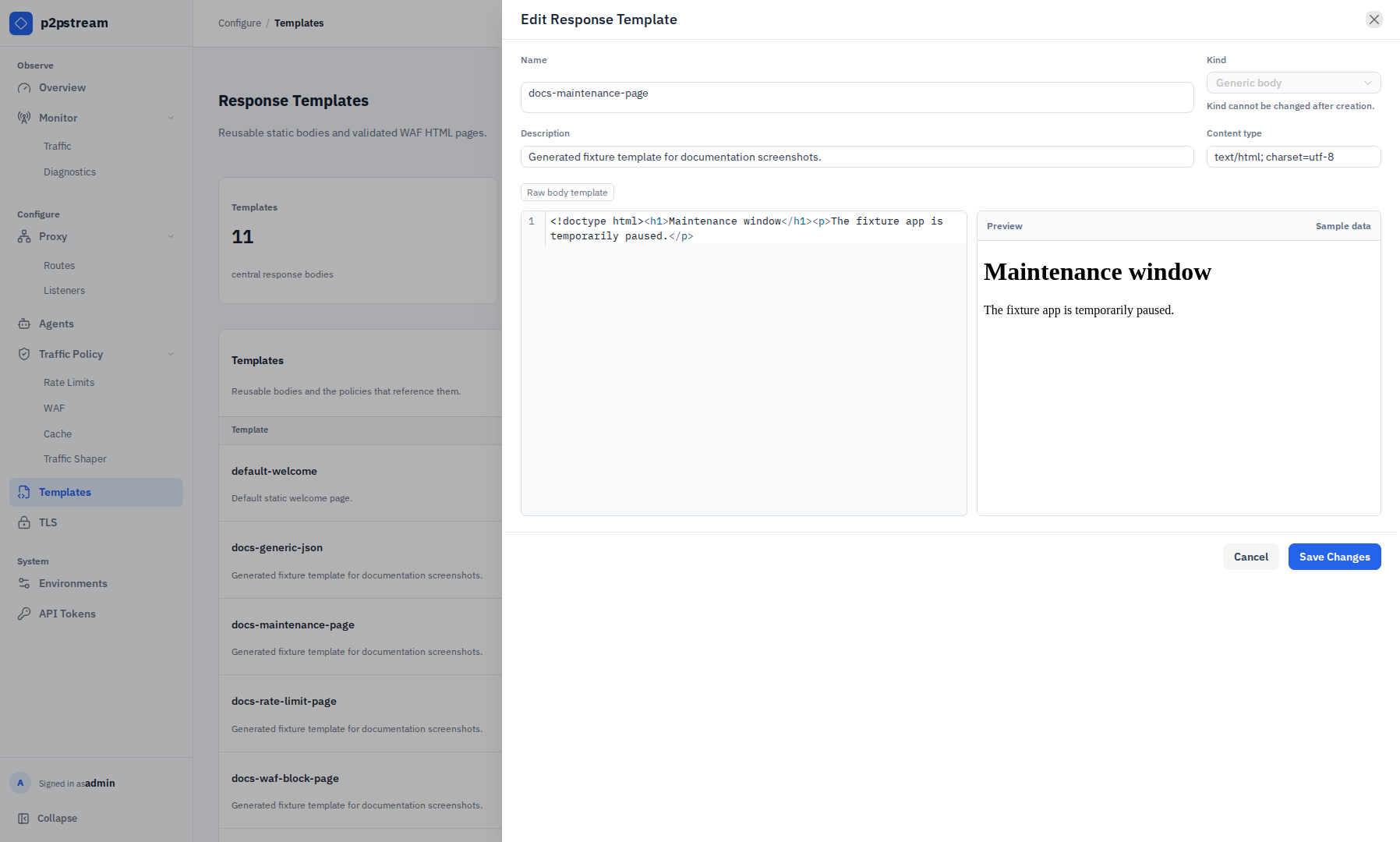
Generic response templates centralize reusable bodies for static targets, rate-limit responses, and WAF block responses while each caller keeps control of status and headers. Give that route a lower priority number than the normal app route:
Field Value Priority 1Host pattern app.example.comPath prefix /Target maintenance
Verification
Run:
curl -I https://old.example.com/docs?a=1
curl -i https://app.example.com/
Redirect routes should return 301, 302, 307, or 308. Static routes should return the configured status, body, and headers.
Troubleshooting
| Symptom | Check |
|---|---|
| Redirect target rejected | Same-host targets must be root-relative paths; external-origin targets must be HTTP/HTTPS origins. |
| Wrong route wins | Lower priority numbers run first. |
| Static route affects all traffic | Narrow host/path match or disable the route after maintenance. |
| API-configured template rejected | Static targets can only use generic body templates. |