Shape Bandwidth
Limit upload or download throughput for matched public requests without rejecting them.
Use This When
Use traffic shaping for large uploads, public file downloads, or protecting small upstreams from bandwidth-heavy clients.
Prerequisites
- A host/path/method match that isolates the traffic to slow.
- A throughput budget in KiB/s for upload, download, or both.
Steps
Open Traffic Policy -> Traffic Shaper and select Add Traffic Shaper.
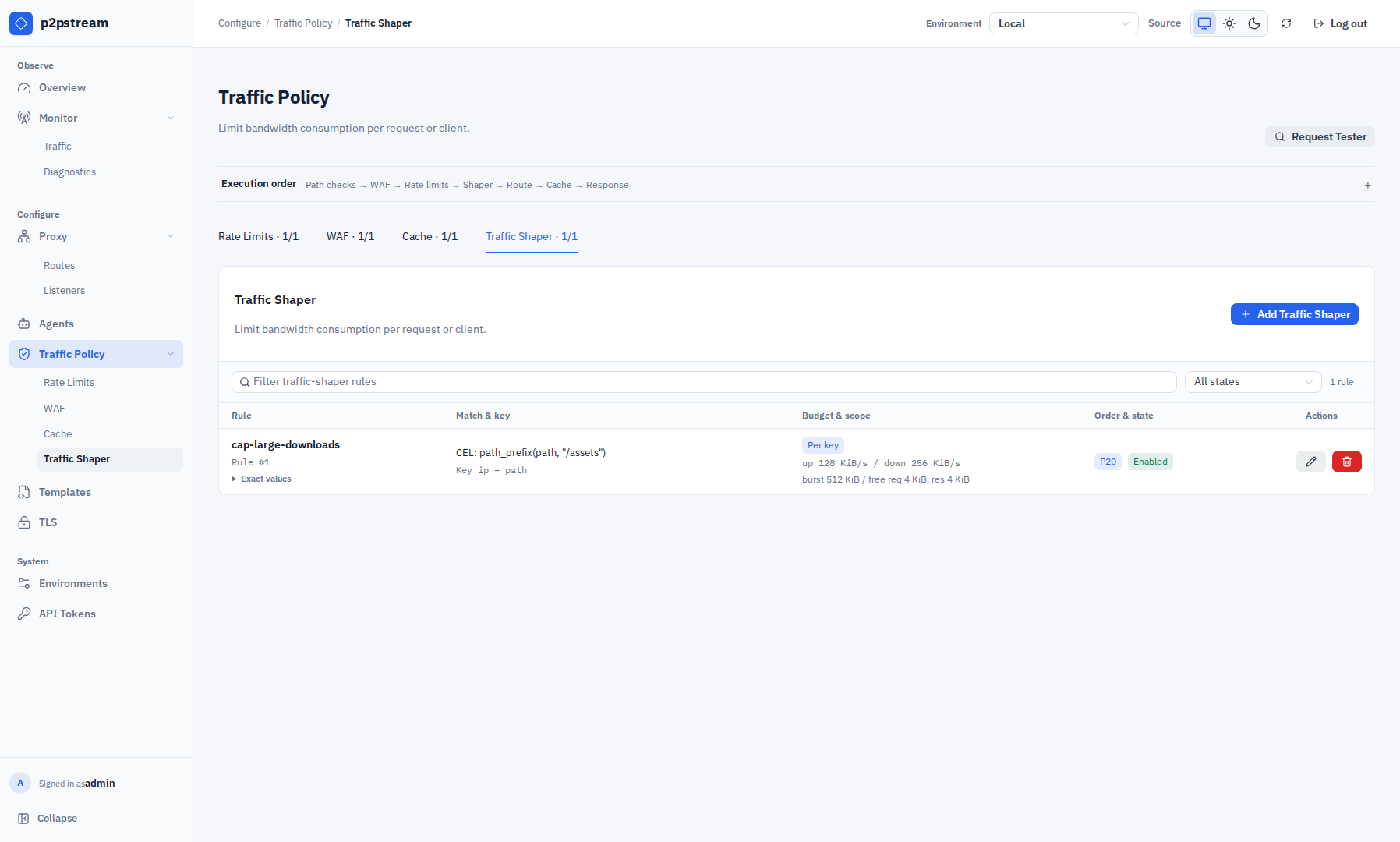
Traffic Shaper and Cache are separate Traffic Policy tabs. The execution-order strip shows shaping before route resolution and cache after route-target selection. Match the traffic. Example for a downloads path:
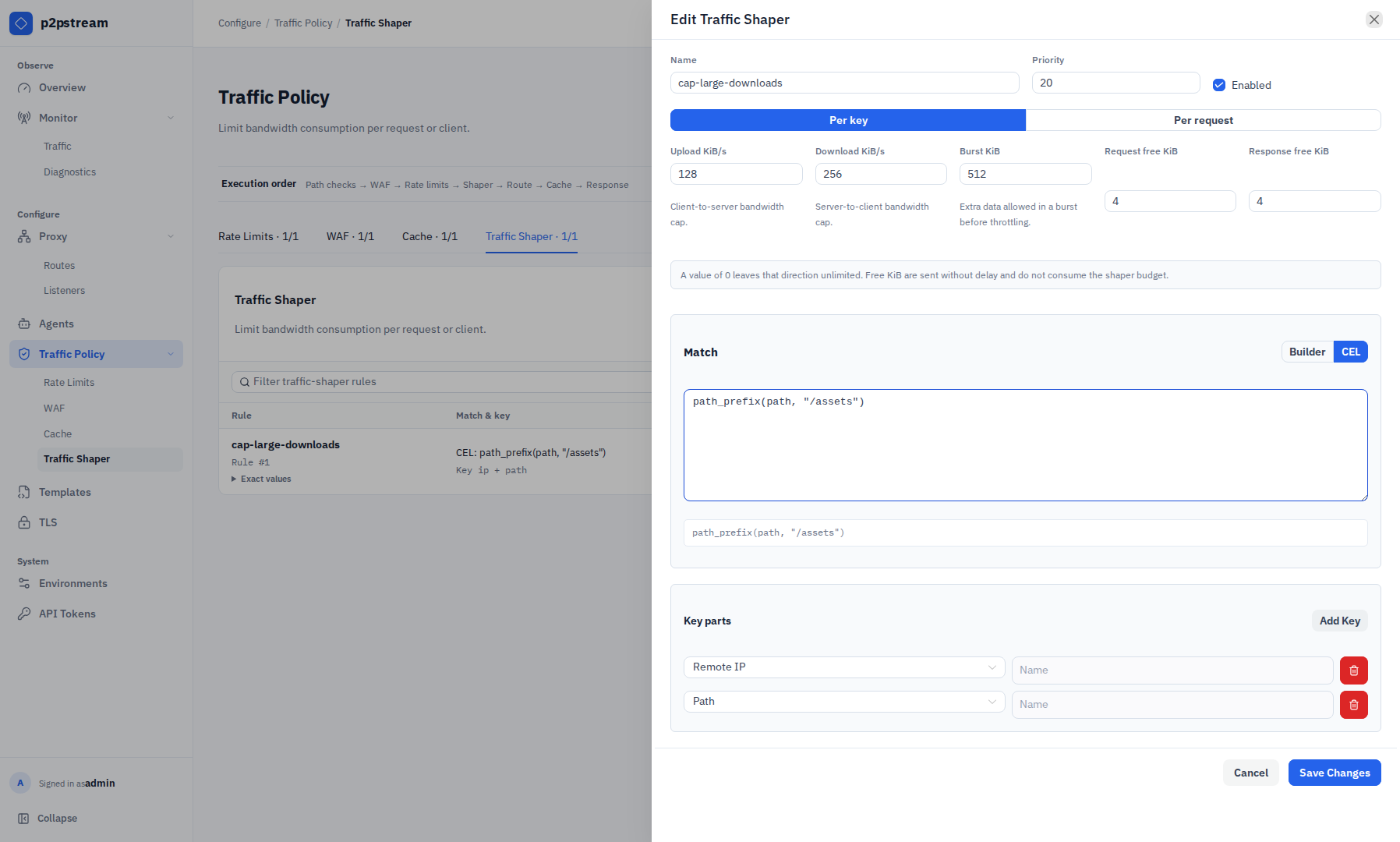
Field Value Name downloads-shaperPriority 20Enabled On Protocols HTTPS Host patterns files.example.comPath prefixes /downloadChoose which request protocols the rule applies to:
Applies to Use when All requests HTTP responses and upgraded WebSocket connections should use this rule. This is the default. WebSockets only Long-lived WebSocket traffic needs its own upload and download rates. Exclude WebSockets Ordinary HTTP traffic should be shaped while WebSockets use a separate rule. A WebSocket-only rule and a WebSocket-excluded rule can use different rates even when their CEL match is otherwise identical.
Choose budget scope:
Scope Use when Per key All requests for the same key should share one budget. Per request Every request should get an independent budget. For public downloads, use per key and key by remote IP. For one-off large imports, per request may be simpler.
Set the KiB budgets:
Field Value Download KiB/s 1024Upload KiB/s 0Burst KiB 2048Request free KiB 0Response free KiB 640means unlimited for an upload or download rate. Free KiB are sent without delay and do not consume the shaper budget.Burst KiB
Burst allows a connection to temporarily exceed the configured rate by up to this many KiB before the token bucket enforces the limit. Use it to absorb the initial burst of a download without throttling the entire transfer from byte one. Set it to
0to disable burst.
Verification
Download a large matching file and watch transfer speed. Use Monitor -> Traffic tracing to confirm the shaper rule is selected.
Troubleshooting
| Symptom | Check |
|---|---|
| Small responses appear unshaped | They may fit within the configured free KiB or finish before the rate is visible. |
| Clients share bandwidth unexpectedly | Review key parts and budget scope. |
| WebSocket uses the HTTP rate | Add a higher-priority WebSockets-only rule and exclude WebSockets from the HTTP rule. |
| WebSocket rule does not match | Confirm the request uses a valid version 13 handshake with Connection, Upgrade, and Sec-WebSocket-Key headers. |
| Rule does not match | Confirm host, path, protocol, method, and priority. |